The builder
Plans and documents
A formal validation plan, generated from a device description and a datasheet, in the shape a design review actually expects.
The Plans pane holds one document. Its normal content is a test plan: the document you would otherwise spend two days writing in Word before you were allowed to start testing.
What a generated plan contains

- 1
Cover page
Plan title, a TP number derived from today’s date, revision, DUT part number, an engineer line, and any assumptions the agent had to make. - 2
DUT overview
A few sentences on function, topology, package, and key ratings, with every claim traceable to the datasheet or to what you said. - 3
Specification summary
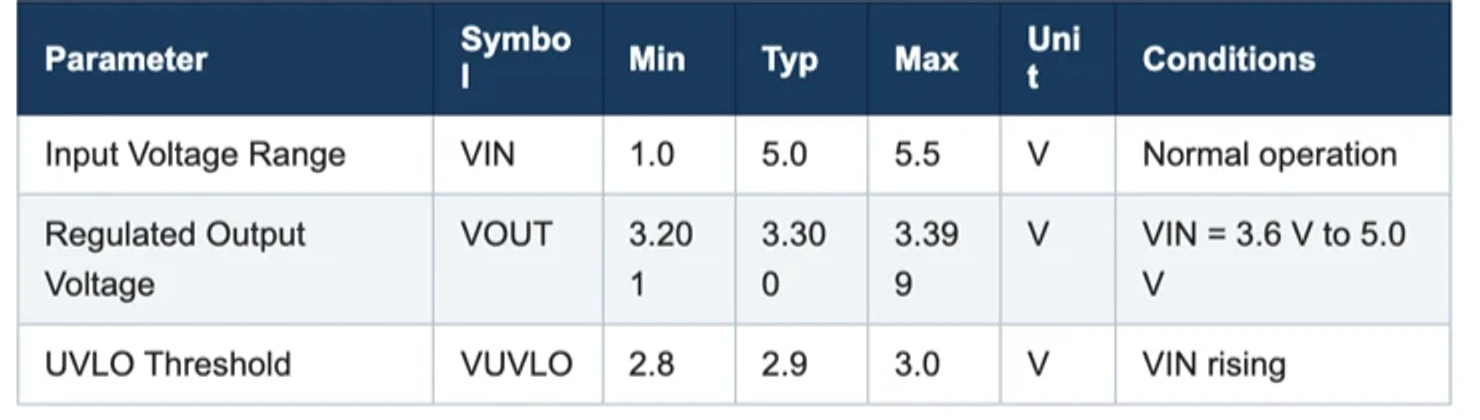
Parameter, symbol, min, typ, max, unit, conditions, taken from the electrical characteristics table. Rows you supplied instead are marked as assumed. - 4
Test coverage matrix
Test ID, test, specs validated, and bench status. Bench status says whether your configured instruments can actually run that test, or names the instrument type missing. Specs nothing covers get their own row. - 5
One page per test
Objective, specs validated, equipment table with real models and addresses, setup and connections, a numbered procedure with settle times, and a limits table with the measured and pass/fail columns left blank for the run. - 6
Document control
Revision history, references including the attached datasheet by filename, and approval rows.
Coverage is derived, not padded
The coverage matrix is built first, from the specification table, and the matrix then decides the plan's test list. That ordering is why a datasheet-backed plan usually lands at eight to twelve tests covering line and load regulation, output accuracy, efficiency, ripple, load transient, startup and enable, switching frequency, the protection thresholds, and quiescent current, rather than at whatever number looks impressive.
Charts
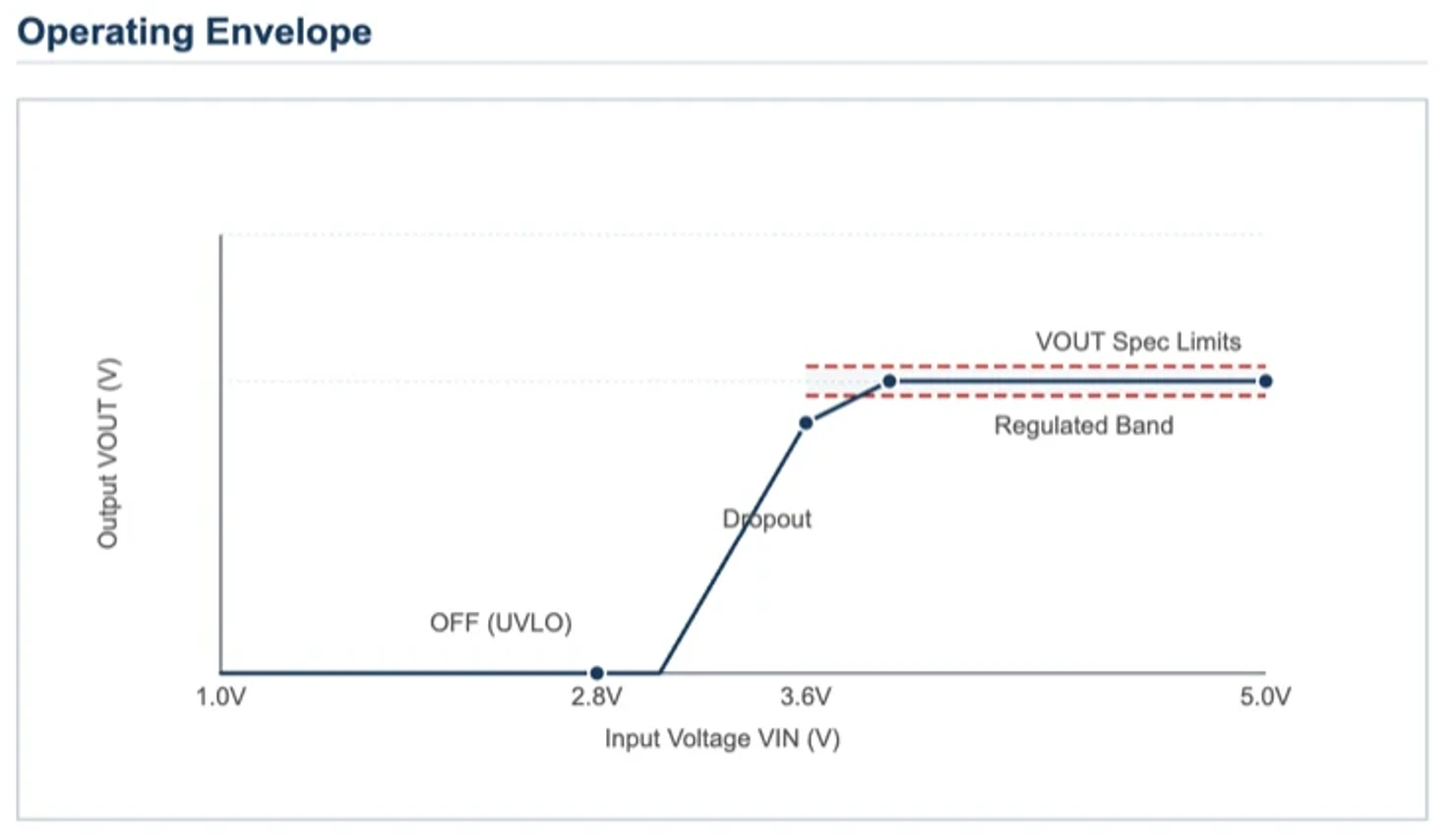
A plan includes one to three charts when the numbers exist for them. The common one is an operating envelope drawn directly after the specification summary: range bands with limit lines, for VIN, VOUT, IOUT, or temperature. Sweep-point and efficiency charts appear when the datasheet or your procedure actually contains those numbers. Nothing is interpolated or invented to fill a chart.
Your format wins
Nothing about the document is fixed. Ask for specific sections, a particular table, your company's numbering, a different order, and you get that instead of the default.
Write the plan with our sections: Scope, Applicable Documents, Test Equipment, Test Cases, Acceptance Criteria, Records. Use TP-PMIC-004 as the number and put the revision table on the cover.
Exporting

Open the plans list from the pane header and click the document. It downloads as a .doc file carrying the document's own styling, which Word, Pages, and Google Docs all open natively. From there you can redline it, sign it off, or print it to PDF with your own template.
What a plan must never contain
Measured values. The plan is intent, and its limits tables ship with the measured and pass/fail columns empty. Results belong in the Report, which is written from the run's own data. Asking for “pass/fail in the document” will get you a report instead, and the agent will say so.