The builder
Step reference
Every kind of step a TestFlow workflow can contain: instrument steps, and the five control steps that turn a list of actions into a test.
A workflow is an ordered list of steps. Each is either an instrument step, which talks to hardware, or a control step, which shapes the flow. You can ask for any of these in plain English, and you can edit any of them by hand.
Instrument steps
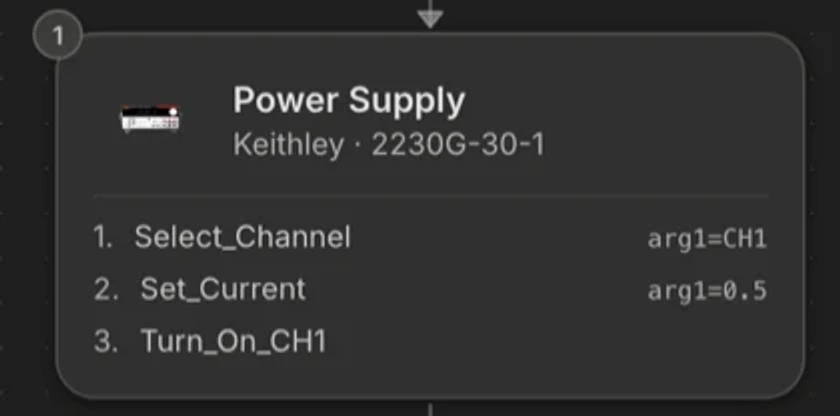
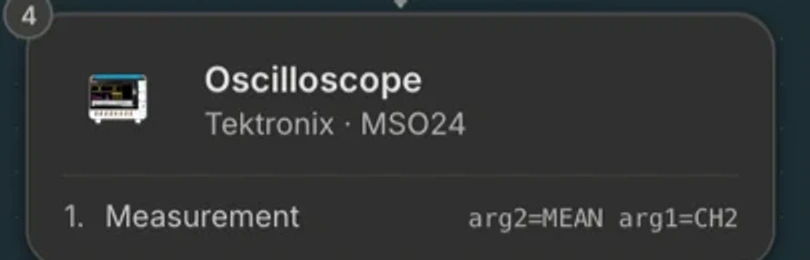
One per instrument appearance in the flow. A step carries the instrument's identity, its VISA address, and its ordered list of actions with parameters. The available actions come from that exact model's catalog.
| Type | Typical actions | Notes |
|---|---|---|
| Power Supply | Set voltage, set current limit, enable or disable output, measure voltage and current. | Multi-channel supplies address channels as parameters. |
| Source Meter | Source V measure I, source I measure V, set compliance, sweep. | An SMU is both stimulus and measurement, which makes it the cheapest way to build an IV curve. |
| Multimeter | Measure DC or AC voltage, current, resistance, continuity, frequency. | Say which function you want. AC and DC are different measurements. |
| Oscilloscope | Configure channel, timebase, trigger, coupling, bandwidth limit; measure rise time, overshoot, peak-to-peak, frequency. | Ripple and transient tests live here. |
| Dynamic Load | Set constant current, constant resistance, or constant power; enable input; step the load. | The other half of load regulation and efficiency. |
| Function Generator | Set waveform, frequency, amplitude, offset, duty; enable output. | Also used for stimulus into an ADC or a comparator. |
| Power Analyzer | Measure real power, apparent power, power factor, efficiency, harmonics. | Precision efficiency work at the AC side. |
| Spectrum Analyzer | Set centre frequency, span, RBW, reference level; measure peak, marker, channel power. | |
| VNA | Set frequency range, calibration, measure S-parameters. | |
| Phase Noise | Measure phase noise at offsets, jitter. | Oscillator and clock characterisation. |
| Digital Pattern | Drive and capture digital patterns. | |
| Switch | Connect and disconnect channels or crosspoints, per slot. | Modular chassis. See racks and chassis. |
| Temp chamber | Set temperature, wait for stability, read temperature. | Thermal soak and corner testing. |
| MCU (Command) | Send a command to a microcontroller target and read the response. | For DUTs with their own command interface. |
| Serial | Raw UART write and read. | The escape hatch for anything with a serial console. |
| Photonixs | Optical power, wavelength, loss. | Optical and photonics test. |
Loop
A sweep is a loop with a variable. This is the step that turns one reading into a curve.
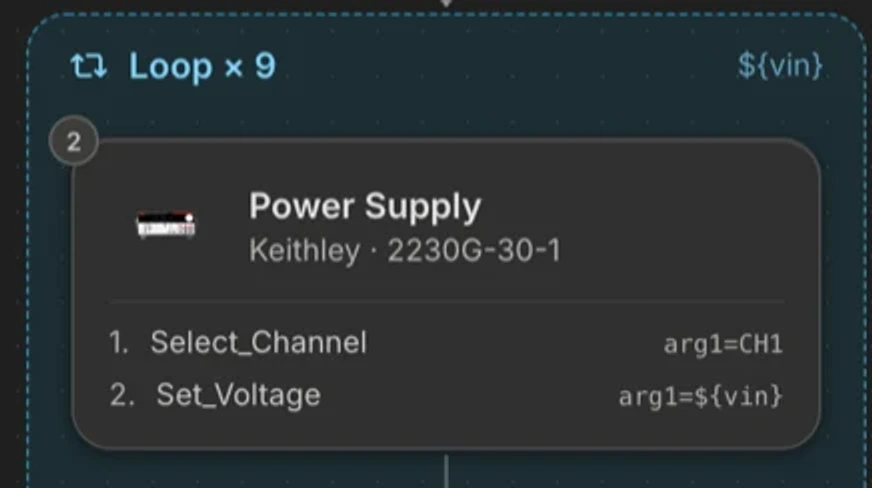
A loop is a matched pair of steps. Everything between the pair repeats. The start step carries the iteration count and the variables, each with a range: a start, an end, and a step. Inside the loop, reference the variable in any action parameter.
Loop  iterations 9
      variable  vin   range 1.0 → 5.0 step 0.5

  Power Supply    set voltage = ${vin}
  Delay           200 ms
  Multimeter      measure DC voltage      limit 3.3 V ±2%

Loop end- A variable can also be a per-iteration count rather than a range, for “repeat this 50 times” style repeatability runs.
- Multiple variables in one loop sweep together. For a two-dimensional matrix, nest loops.
- The variable value is recorded as a column, so the sweep axis is in your results and your charts automatically.
- A limit can track a variable rather than a constant, which is how you express “within 5% of whatever the load is set to”.
Delay
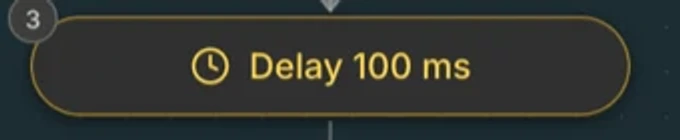
A wait, in milliseconds or seconds. Its job is settling time, and it is the single most common cause of a good part looking bad: a reading taken before the rail settles is a measurement of the transient, not of the DC level.
Pause
Stops the run and waits for a person. Two forms:
A message and a continue button. For “move the probe to TP4”, “fit the heatsink”, “confirm the DUT is seated”.
Pause "Move the scope probe to TP4, then continue."If Statement
Branches on a condition, normally a measured value or a variable. Use it for abort-on-out-of-spec, for skipping a section when a preceding reading says the part is not worth continuing with, and for handling optional DUT variants in one workflow.
Python
For computation the instruments cannot do: efficiency from four measurements, a derived figure of merit, a curve fit, a statistical summary. A Python step declares its inputs, its outputs, and any pip requirements, and its outputs become variables and data columns like any other measurement.
def main(inputs):
    """Efficiency from the four power measurements of this iteration."""
    p_in = inputs["vin"] * inputs["iin"]
    p_out = inputs["vout"] * inputs["iout"]
    if p_in <= 0:
        return 0.0
return 100.0 * p_out / p_inWhat is deliberately not a step
There is no raw SCPI step, no free-text math step, and no save-to-variable step. Those existed in earlier tools and each one is a way to produce a workflow whose behaviour is invisible to the product: not validated, not recorded, and not reportable. Their jobs are done by instrument actions, Python steps, and loop variables respectively.