Call LabVIEW from Python in 2026 (VIs, DLLs, and the TestStand API)
Five documented ways to drive LabVIEW VIs and TestStand sequences from a Python script, what each needs installed and licensed, working code for the common ones, and the reverse direction through the Python Node and the TestStand Python Adapter.
To call LabVIEW from Python in 2026, use one of five documented routes: the ActiveX VI Server through pywin32, the LabVIEW CLI `RunVI` operation from `subprocess`, a LabVIEW-built shared library loaded with `ctypes`, a gRPC server built with NI's `grpc-labview` library, or, for TestStand, the TestStand API over COM. The ActiveX route is the fastest to try and needs LabVIEW installed and licensed on the machine. The DLL route needs only the free LabVIEW Run-Time Engine on the station. NI's own example code calls the TestStand API from Python but states that Python is not an officially supported language for it.
This guide is for test engineers who own working LabVIEW VIs or TestStand sequences and want Python to orchestrate them, schedule them, or feed them into CI. Every method below is checked against ni.com documentation or the vendor's repository. For the wider picture, start at the LabVIEW hub or the TestStand hub.
The five ways to call LabVIEW or TestStand from Python
| Method | Direction | Needs on the test machine | Python side | Best for |
|---|---|---|---|---|
| ActiveX VI Server | Python calls a VI | LabVIEW development system, ActiveX enabled | pywin32 | Quick automation on an engineer's PC |
LabVIEW CLI RunVI | Python launches a VI | LabVIEW, CLI package, VI Server TCP/IP on | subprocess | CI jobs and build scripts |
| Built shared library | Python calls a DLL | LabVIEW Run-Time Engine only | ctypes | Stations without a LabVIEW seat |
gRPC (grpc-labview) | Python calls a VI server | LabVIEW or a built app hosting the server | grpcio | Networked or cross-machine calls |
| TestStand API over COM | Python runs a sequence | TestStand engine and a TestStand license | pywin32 | Running existing sequences unattended |
Two things hold for all five. First, they are Windows-first: ActiveX and COM exist only on Windows, while the CLI and gRPC routes also run on Linux. Second, Python and LabVIEW must agree on bitness wherever a library is loaded in-process.
Option 1: the ActiveX VI Server with pywin32
LabVIEW can act as an ActiveX server. NI's page on activating LabVIEW as an ActiveX server says that when you do, LabVIEW exports two classes, an application class and a virtual instrument class. To turn it on:
- 1
Open Tools » Options and select VI Server.
- 2
Check ActiveX in the Protocols section.
- 3
Set Accessible Server Resources and Exported VIs to the access your security policy allows.
For a built executable, NI says you enable the server at build time with the Enable ActiveX server checkbox on the Advanced page of the Application Properties dialog.
From Python, install pywin32 (version 312 on PyPI as of November 2026). The GetVIReference method takes an absolute VI path and places the VI in memory. The VI methods then set controls, run, and read indicators:
# run_vi.py: run a LabVIEW VI through the ActiveX VI Server (Windows only)
import win32com.client

VI_PATH = r"C:\tests\rail_check.vi"  # absolute path, as GetVIReference requires

labview = win32com.client.Dispatch("LabVIEW.Application")
vi = labview.GetVIReference(VI_PATH)

vi.SetControlValue("Setpoint (V)", 3.3)
vi.SetControlValue("Samples", 100)
vi.Run()  # async defaults to False, so this returns when the VI finishes

measured = vi.GetControlValue("Measured (V)")
status = vi.GetControlValue("error out")
print(f"Measured: {measured} V, error cluster: {status}")
Control names are the labels on the front panel, so a renamed control breaks the script. NI documents that Run uses the current front-panel values rather than parameters, and that it cannot run a VI already reserved by another VI. For a VI with a connector pane you want to call like a function, the Call method calls the VI as a subVI.
When to use it: an engineer's PC with LabVIEW already licensed. It is the shortest path from "this VI works" to "Python runs it 500 times overnight".
Option 2: the LabVIEW CLI RunVI operation
The command line interface for LabVIEW is a separate package that drives LabVIEW over VI Server TCP/IP. Enable Tools » Options » VI Server » TCP/IP first. The default port is 3363, and -PortNumber changes it.
NI's predefined operations list describes RunVI as running a VI with a predefined connector pane interface and returning its output or error information. Arguments after -VIPath become elements of the VI's input array:
import subprocess

result = subprocess.run(
    ["LabVIEWCLI", "-OperationName", "RunVI",
     "-VIPath", r"C:\tests\RunVI.vi", "101", "202",
     "-LogToConsole", "true"],
    capture_output=True, text=True, timeout=600,
)
print(result.returncode, result.stdout)
The same CLI exposes MassCompile, CreateComparisonReport, RunVIAnalyzer, and RunUnitTests, which is why it shows up in CI pipelines more than on test stations. NI's documentation also lists a -Headless argument and states that headless operations do not require a LabVIEW license to execute. Check that statement against your own licence agreement before you design a station around it.
When to use it: build servers, nightly regression, and any job where a VI has to run as one step in a longer script.
Option 3: a LabVIEW-built shared library and ctypes
The Application Builder turns VIs into a DLL with a C header. NI's introduction to the Application Builder says it is included with LabVIEW Professional and sold separately for Base and Full. The trade is clear:
- •The station needs no LabVIEW seat. NI's Run-Time Engine compatibility page says the Run-Time Engine must be installed on any system that runs executables or shared libraries built with the Application Builder.
- •Versions must match. The same page says several Run-Time Engine versions can coexist if the major version or bitness differs.
- •You lose live editing. Every VI change means a rebuild.
Every LabVIEW-built DLL also exports LVDLLStatus, which NI's page on the characteristics of LabVIEW-built shared libraries describes as the function a calling program uses to verify that the DLL loaded correctly:
import ctypes

lib = ctypes.CDLL(r"C:\tests\build\RailCheck.dll")

# MgErr LVDLLStatus(CStr errStr, int32 errStrLen, void *module)
err_buf = ctypes.create_string_buffer(256)
status = lib.LVDLLStatus(err_buf, len(err_buf), None)
if status != 0:
    raise RuntimeError(f"LabVIEW DLL failed to load: {err_buf.value.decode()}")

# The exported function prototype comes from the generated header file.
lib.MeasureRail.argtypes = [ctypes.c_double]
lib.MeasureRail.restype = ctypes.c_double
print(lib.MeasureRail(3.3))
MeasureRail is an example name. Copy the real prototype from the .h file the build generates, and keep to scalar and string types where you can, since array handles need the allocate and deallocate functions the header declares.
Option 4: gRPC with NI's grpc-labview library
NI publishes grpc-labview on GitHub under the MIT license. Its README describes C++ code and support VIs that implement a gRPC server and client in LabVIEW, on Windows, Linux, and Linux RT, with source saved in LabVIEW 2019. You define a .proto, generate the LabVIEW server, and call it from Python with the standard grpcio client.
Read the README's caveats before you build on it. It states that the project is not yet complete, that not all .proto data types are supported, and that it is not supported by NI Technical Support. Its strength is the network boundary: the VI can run on one machine and the Python orchestrator on another.
Option 5: run TestStand sequences from Python
The TestStand engine is an ActiveX server. NI's Engine class reference says you create the Engine object directly using ActiveX. NI's community example, Calling the TestStand API in Python, does exactly that with pywin32 and the ProgID TestStand.Engine. The same page states that the officially supported languages for the TestStand API are .NET languages, LabVIEW, and C, and that calling it from Python has not been fully tested and is not supported.
NI's guide to executing a sequence in an application gives the arguments for running a sequence without a process model: a null process model, breakAtFirstStep set to False, and the normal execution type mask.
# run_seq.py: run MainSequence of a sequence file through the TestStand API
import win32com.client

engine = win32com.client.Dispatch("TestStand.Engine")
seq_file = engine.GetSequenceFileEx(r"C:\tests\PowerOnTest.seq")
try:
    execution = engine.NewExecution(seq_file, "MainSequence", None, False, 0)
    execution.WaitForEndEx(-1)  # -1 means no timeout
    print("Result:", execution.ResultStatus)
    print("Error occurred:", execution.ErrorObject.Occurred)
finally:
    engine.ReleaseSequenceFileEx(seq_file)
    engine.ShutDown(True)
Each call maps to a documented method: GetSequenceFileEx, NewExecution, WaitForEndEx, and ShutDown. NI's ResultStatus page warns that the status string does not tell you whether a completed execution hit an error, which is why the script also reads ErrorObject.Occurred. Treat this script as a starting point, in the spirit of NI's own example.
Three practical notes:
- •Licensing still applies. The station needs a TestStand license. A deployed tester normally runs on the Base Deployment Engine, which costs $857 per station on ni.com in November 2026, as TestStand pricing breaks down.
- •Dialogs block unattended runs. NI's gRPC TestStand API example tells you to clear Check User Privileges, set On Run-Time Error to Run Cleanup, and avoid Prompt for Action time limits before running headless. The same settings help a Python-driven engine.
- •gRPC is NI's newer direction here. That repository is an early access release of C# client and server examples for remote TestStand execution, last updated in October 2023.
The reverse direction: Python called from LabVIEW and TestStand
Often the cleaner design is to leave the executive where it is and move the measurement code into Python.
- •LabVIEW Python Node. NI's page on integrating Python code in LabVIEW says the feature was introduced in LabVIEW 2018 and that the bitness of Python must match the bitness of LabVIEW. The Open Python Session reference lists Python 3.9 to 3.12 for LabVIEW 2025 Q1, and LabVIEW 2023 Q1 and later support virtual environments.
- •TestStand Python Adapter. A step calls a function in a Python module and the return value feeds the step's limits. NI's Python Adapter page points to the TestStand release notes for supported Python versions.
The measurement code then lives in plain Python with PyVISA, and it survives the day you retire the executive. The Python instrument control guide covers that layer.
What NI ships for Python, and what it does not
NI maintains real Python packages, and all of them sit at the driver layer:
| Package | Purpose | Latest on PyPI, November 2026 |
|---|---|---|
nidaqmx | NI-DAQmx devices | 1.7.0 |
nidmm, niscope, nifgen, niswitch | Modular instruments, from nimi-python | 1.5.0 |
nidcpower | Source measure units and power supplies | 1.6.0 |
nitsm | Code modules under the TestStand Semiconductor Module | 0.2.2 |
ni-measurement-plugin-sdk | Measurement plug-ins | 3.1.0 |
None of them launches a VI or a sequence. For that, you are on the routes above. For DAQ specifically, see NI-DAQmx in Python without LabVIEW and the shorter overview in DAQ with Python.
Is wrapping LabVIEW from Python worth it?
As a bridge, yes. It lets a team keep qualified VIs on the station while new tests are written in Python, and it puts LabVIEW code under CI without a rewrite. As an end state, it doubles the stack: every station still carries a LabVIEW installation or Run-Time Engine, plus Python, plus the glue between them.
The usual sequence is to wrap first, then replace VIs one at a time, starting with the ones that only talk SCPI to bench instruments, because those port to Python fastest. LabVIEW to Python migration is the step-by-step version, LabVIEW vs Python is the honest trade-off, and NI TestStand alternatives covers the executive side.
Where TestFlow fits
TestFlow does not call VIs. It is an AI agent for electronics testing: you describe the test, the agent builds the automation, drives the instruments over VISA and SCPI from any vendor through the Windows desktop app, and writes the report from the measured results.
That makes it useful in two places in this picture:
- •The VIs that only talk SCPI. A rail check, a load step, or a scope capture can be described and rebuilt instead of wrapped. The supported instruments list shows what the agent drives today.
- •TestStand sequences you want to carry forward. TestFlow imports TestStand sequences and preserves the sequences and the calls between them, so the structure survives the move. See TestFlow vs TestStand for exactly what transfers.
Keep LabVIEW for FPGA, real-time, and anything deep in NI hardware. TestFlow's DAQ coverage is narrow, limited to the NI USB-6001, USB-6501, and PCI-6515 through NI-DAQmx, and it has no operator and user management or database connectivity yet. It has a free version to start.
Related reading
- •LabVIEW to Python migration, the full migration path
- •NI TestStand alternatives, when the executive is the problem
- •TestStand sequence files explained, reading .seq files without the editor
- •PyVISA tutorial, the instrument layer under any Python test
- •Python hardware test frameworks, pytest, OpenHTF, and more
- •Test sequencer comparison, TestStand next to the open options
- •LabVIEW alternatives, the wider field
- •SCPI command cheat sheet, for the VIs worth rewriting first
Where TestFlow fits
Automating around LabVIEW and TestStand keeps working code alive. TestFlow is for the next test, the one nobody has written yet, on the instruments already on your bench.
- 1
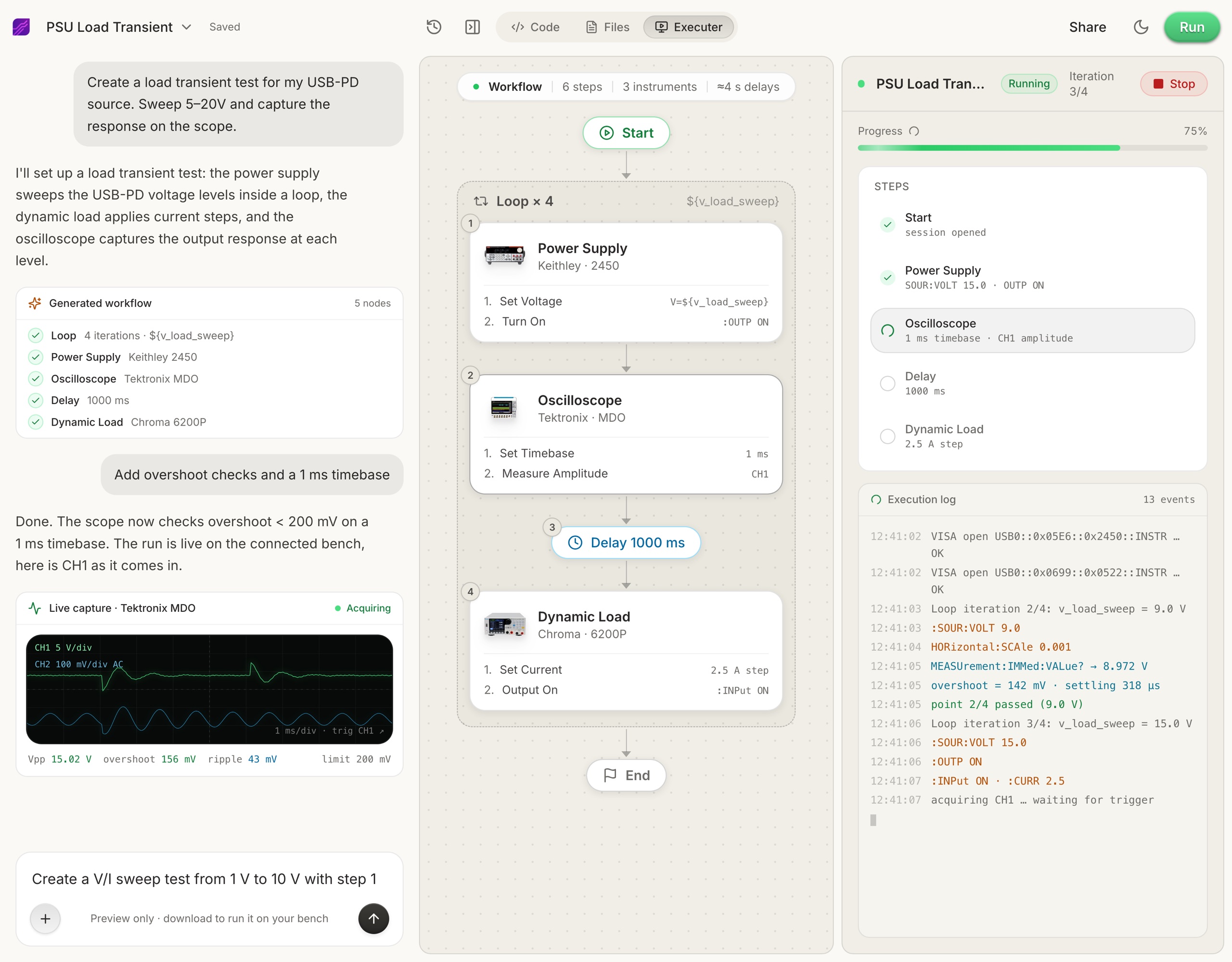
Connect your instruments. Pick the manufacturer and model, paste the VISA address (USB, LAN, GPIB, or serial), and the agent knows what is on your bench. No bench yet? Use a placeholder address, build the full automation, and swap in the real address when you are in the lab.
- 2
Tell the agent what to test. For example, "run a VI sweep from 1 to 10 V in 1 V steps at 0.5 A load current," or "suggest the tests for a power-management device."
- 3
The agent builds the complete workflow in seconds. Instrument-aware automation appears on the canvas, with the generated scripts visible in a code panel you can inspect and edit.
- 4
Run it in your lab. Click Run in the TestFlow desktop app for Windows and the status panel streams results step by step, with measured values inline (VOUT = 3.301 V, asserted 3.2 to 3.4 V, PASS). One click exports a structured PDF report, or the raw results as CSV.
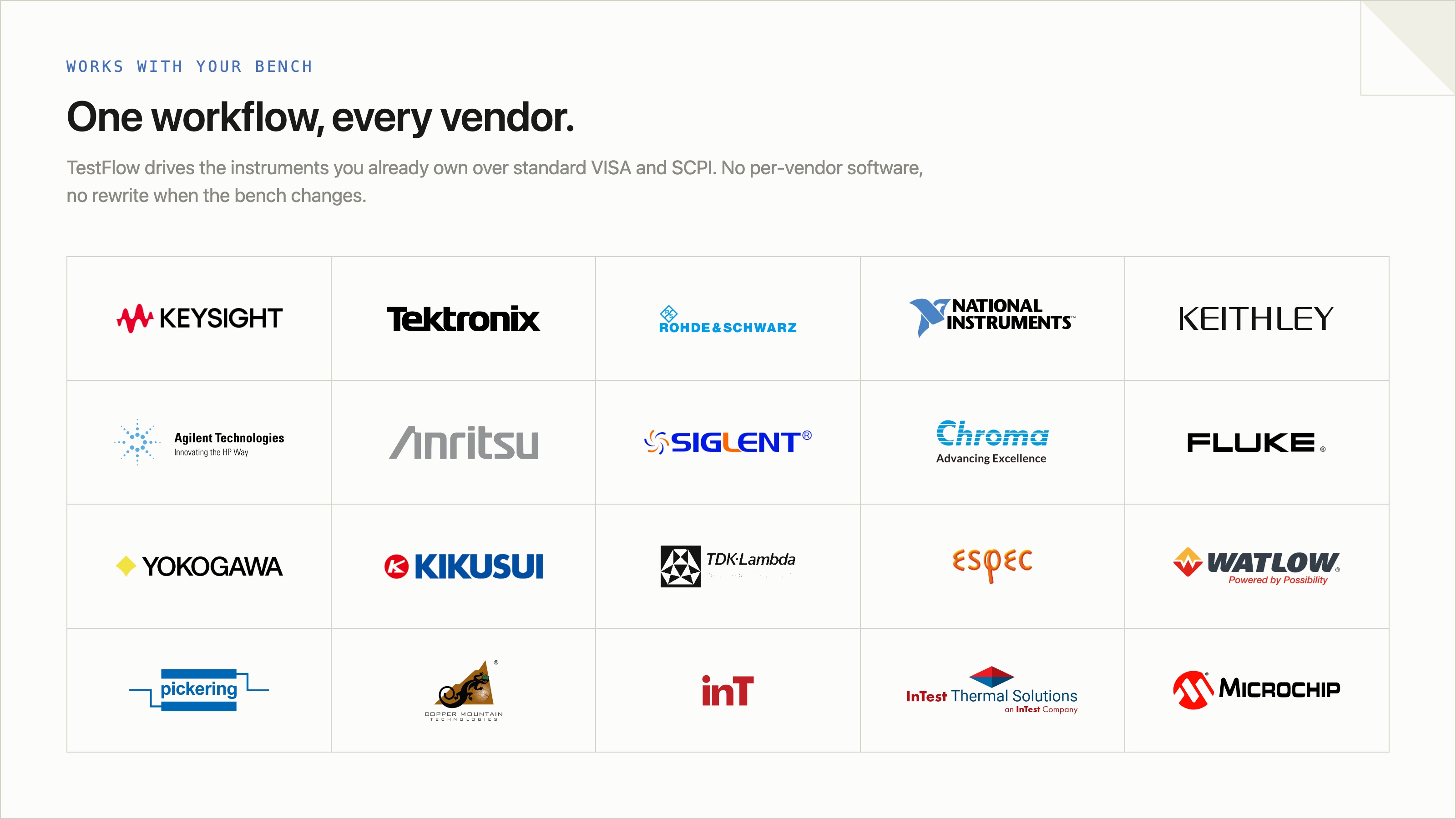
- Vendor-neutral by design. One workflow drives Keysight, Tektronix, Rohde & Schwarz, Rigol, Keithley, Anritsu, and any other SCPI instrument over standard VISA.
- Built in the browser, run on the bench. Workflows live in your workspace, so a sequence built in one lab runs the same way in another. Bench runs use the Windows desktop app.
- Free version to start. Sign in at app.testflowinc.com and build your first workflow today; teams can book a demo to scope a Bench Pilot.
The step-by-step walkthrough, VISA address formats, and Test Planner prompts are all in the TestFlow product guide.
Frequently asked questions
Can Python call a LabVIEW VI directly?
Yes, on Windows. Enable the ActiveX server in LabVIEW under Tools, Options, VI Server, then use pywin32 to dispatch LabVIEW.Application, call GetVIReference with the VI's absolute path, set controls with SetControlValue, run it with Run, and read indicators with GetControlValue. LabVIEW must be installed and licensed on that machine.
How do I call a LabVIEW VI from Python without a LabVIEW license on the test machine?
Build the VI into a shared library with the LabVIEW Application Builder and call it from Python with ctypes. The target machine needs the LabVIEW Run-Time Engine, which NI says must be installed wherever LabVIEW-built executables or shared libraries run. Application Builder ships with LabVIEW Professional and is sold separately for Base and Full.
Can I run a TestStand sequence from Python?
Yes. The TestStand engine is an ActiveX server, so pywin32 can create TestStand.Engine, load a file with GetSequenceFileEx, start it with NewExecution, and wait with WaitForEndEx. NI's own example code notes that the officially supported languages for the TestStand API are .NET languages, LabVIEW, and C, and that calling it from Python is not supported.
Does NI have a Python package for LabVIEW or TestStand?
Not for driving them. NI's Python packages cover its drivers: nidaqmx for DAQ, and nidmm, niscope, nidcpower, and other nimi-python modules for modular instruments. nitsm is the Python API for code modules running under the TestStand Semiconductor Module. NI's grpc-labview library lets a VI host a gRPC server that Python can call.
How do I call Python from LabVIEW?
Use the Python Node, available since LabVIEW 2018. NI's Open Python Session reference lists Python 3.9 to 3.12 for LabVIEW 2025 Q1, and the bitness of Python must match the bitness of LabVIEW. TestStand steps call Python modules through the Python Adapter.
Is calling LabVIEW from Python a good long-term architecture?
It is a good bridge. It keeps qualified VIs running while new work moves to Python, but every call still needs a LabVIEW installation or Run-Time Engine on the station. Most teams use it to retire VIs one at a time rather than as a permanent design.
Automate every instrument in the lab,
Create test workflows in minutes
- 01Describe the testIn a sentence, the way you would tell a colleague.
- 02The agent builds itWorkflow and script for your instruments, any vendor.
- 03Run it, get the reportOn your bench, with the measured values.
Tags

Article by
Ali Kamaly
Ali Kamaly is the Co-Founder and CEO of TestFlow, an AI-native platform for electronics test automation. He writes about test automation, lab validation, and the infrastructure behind modern hardware engineering.
Keep reading
All 18 articles in the LabVIEW guide- LabVIEW vs Python for Test Automation in 2026 (When to Use Each)LabVIEW vs Python for test automation and DAQ: cost, instrument control, maintainability, and when to use each. Plus an AI-native third option.
- LabVIEW Runtime Engine in 2026 (Version Rules, Royalty-Free Deploy)What the LabVIEW Runtime is, the exact version and bitness rules from NI's documentation, a symptom-by-symptom fix list for built applications that will not start, and what you need to deploy LabVIEW code to a station wi
- LabVIEW Subscription vs Perpetual License 2026 (3.5-Year Break-Even)The licence decision, not the price list. Break-even by edition from ni.com prices, what stops working and what keeps working when a subscription or software service lapses, how to tell which licence you are on, and the
- LabVIEW Versions and Compatibility in 2026 (Save for Previous Guide)Every LabVIEW version from 2019 to 2026 Q3 with its release date, how VIs move between versions, what Save for Previous Version can and cannot convert, the 32-bit versus 64-bit rules, and which versions NI still supports
- Best Electronic Test Automation Software 2026 (8 Tools Compared)Eight tools for automating an electronics lab, what each is genuinely good at, what it costs, and a decision path that starts from your bench rather than from a feature list.
Your next test, automated today
Describe the test. TestFlow builds the workflow, runs it on your instruments, and writes the report. See it on a bench like yours.