LabVIEW Versions and Compatibility in 2026 (Save for Previous Guide)
Every LabVIEW version from 2019 to 2026 Q3 with its release date, how VIs move between versions, what Save for Previous Version can and cannot convert, the 32-bit versus 64-bit rules, and which versions NI still supports, all from NI's own documentation.
The current LabVIEW version is LabVIEW 2026 Q3, released in July 2026, and NI has shipped two LabVIEW versions a year, a Q1 and a Q3 release, since LabVIEW 2023. A newer LabVIEW opens older VIs and recompiles them. Going the other way needs Save for Previous Version from the newer editor, which in current LabVIEW reaches back as far as LabVIEW 2017. VIs open in both 32-bit and 64-bit LabVIEW of the same version, but built applications must run on a runtime of matching bitness. NI lists LabVIEW 2023 and later in mainstream support, with a new lifecycle policy starting January 15, 2027.
This guide is for engineers and test leads who share LabVIEW code across teams, stations, or customers on different versions. It lists every recent LabVIEW version, explains how VIs move between them, and covers bitness and NI's support policy. Every date and rule below is from NI's own documentation as of November 2026. The LabVIEW hub collects the rest of the site's LabVIEW material.
Every LabVIEW version since 2019
NI's LabVIEW New Features and Changes page lists the current releases, and its extended support versions page lists the older ones.
| LabVIEW version | Released | NI support listing (Nov 2026) |
|---|---|---|
| LabVIEW 2026 Q3 | July 2026 | Mainstream |
| LabVIEW 2026 Q1 | January 2026 | Mainstream |
| LabVIEW 2025 Q3 | June 2025 | Mainstream |
| LabVIEW 2025 Q1 | January 2025 | Mainstream |
| LabVIEW 2024 Q3 | July 2024 | Mainstream |
| LabVIEW 2024 Q1 | January 2024 | Mainstream |
| LabVIEW 2023 Q3 | July 2023 | Mainstream |
| LabVIEW 2023 Q1 | January 2023 | Mainstream |
| LabVIEW 2022 Q3 | July 2022 | Extended support documentation |
| LabVIEW 2021 | August 2021 | Extended support documentation |
| LabVIEW 2020 | May 2020 | Extended support documentation |
| LabVIEW 2019 | May 2019 | Extended support documentation |
The mainstream column follows NI's software lifecycle page, which lists "LabVIEW 2023 and later" as the versions in mainstream support.
What is new in LabVIEW 2026
If you searched for LabVIEW 2026, these are the changes NI documents for the two 2026 releases.
LabVIEW 2026 Q1 (January 2026):
- •Headless operation from the command prompt or LabVIEWCLI for CI/CD jobs such as mass compile, and NI states headless operations do not require an active LabVIEW license.
- •A base Docker image with LabVIEW 2026 Q1 on NI's Docker Hub account, with activation through the NI License Manager command line.
- •Probes and breakpoints saved in a project's new .lvprojstate file instead of in source VIs.
- •Code Interface Nodes are no longer supported. NI says to convert CINs to Call Library Function Nodes.
- •Localized versions of LabVIEW for 64-bit installations.
- •Nigel AI code suggestions and project-aware answers.
LabVIEW 2026 Q3 (July 2026):
- •Prompt-based VI generation in the Nigel chat window, with a limited set of supported LabVIEW features, model selection, and Model Context Protocol server support.
- •UTF-8 string encoding for multilingual user interfaces.
- •Optional SBOM generation in build specifications through the JKI Security Suite, Windows only.
- •Builds that succeed when shared library dependencies are missing, so builds using NI drivers can run in Docker.
- •A security indicator in Tools, Options for settings with potential risk.
The CIN removal is the 2026 change most likely to break old code. If a codebase still has CINs, convert them before you upgrade past 2025 Q3.
Opening VIs across LabVIEW versions
LabVIEW is forward compatible: open an older VI in a newer LabVIEW and it recompiles. NI's upgrade process page gives the steps for doing that on a real codebase:
- 1
Back up your VIs and the machine configuration.
- 2
Test and record the current behavior, then run the same tests on the new version and compare.
- 3
Install the new LabVIEW plus modules, toolkits, and drivers compatible with it. Version-independent drivers do not need upgrading.
- 4
Mass compile in the new version and use the error log to find broken VIs.
- 5
Use the VI Analyzer Upgrade Tests and the Upgrade and Compatibility Issues pages for every version between your old and new one.
Step 5 matters most when you skip versions. Behavior changes are documented per release, so a jump from 2021 to 2026 Q3 means reading every list in between, including the 2026 Q1 CIN removal.
Save for Previous Version: rules and limits
To move a VI backwards, NI's Saving for a Previous Version page gives two methods.
One-off copy. For the top-level VI, select File, Save for Previous Version, pick the LabVIEW version, and save to a separate directory. Projects and libraries use the same menu in the Project Explorer. If the code uses features the older version lacks, LabVIEW saves what it can and lists the rest in the Save for Previous Warning Summary. Password-protected VIs need the password, and toolkits that provide version information let you pick a toolkit version too.
Project-wide save version. Enable "Separate compiled code from source file" on the VIs and libraries, then set Save version under Project, Properties. Every save then targets that version, and a red save version indicator on the toolbar flags code that cannot be saved back. You can also drop a .lvversion file in a directory:
21.0That single line, NI's own example, sets the save version for every VI loaded from that directory and its subdirectories. Where the project and the file disagree, LabVIEW saves in the earlier of the two, and a library's own setting overrides both.
The limits, all from the same NI page:
| Item | How far back it can save |
|---|---|
| VIs, projects, project libraries | As early as LabVIEW 2017 |
| Built applications, shared libraries, packed project libraries | Current editor version only |
| VIs on FPGA targets or using FPGA nodes | Current editor version only |
| LabVIEW Real-Time deployment | Target must match the editor version |
| Packed project libraries | Save the contents back, then rebuild in the older LabVIEW |
For teams supporting customers on older versions, the project-wide setting is the safer habit. It catches incompatible code while you write it, instead of at delivery.
LabVIEW 32-bit vs 64-bit
NI's 32-bit vs 64-bit FAQ and its runtime compatibility page give the rules:
- •One license, both bitnesses. Anyone who bought LabVIEW 2009 or later has a license for 32-bit and 64-bit.
- •VIs move freely. A VI created in one bitness opens in the other, because code compiles when the VI runs.
- •Built apps do not. An application must run on a runtime of the bitness it was built with. A 64-bit app cannot run on a 32-bit computer, while a 32-bit app runs on 64-bit Windows.
- •The 64-bit Application Builder cannot build 32-bit apps.
- •Toolkits lag. Most toolkits and modules support 64-bit, but not all, so check each one before you switch.
- •Memory. NI notes the 32-bit version uses up to 4 GB of address space on 64-bit Windows, while 64-bit LabVIEW can use what the OS supports.
NI's general advice is to pick the bitness that suits your operating system and memory needs. In practice, a team that depends on a 32-bit-only toolkit or DLL stays 32-bit, and everyone else is better off on 64-bit, where the 2026 Q1 localized versions now also exist. The LabVIEW Runtime guide covers the deployment side of the same rules.
Operating systems
NI's LabVIEW edition page lists Microsoft Windows and Linux for Base, Full, Professional, and the LabVIEW+ Suite. On macOS, NI's macOS compatibility page says the final LabVIEW Professional release was 2023 Q3, and LabVIEW for macOS is available only in the Community Edition, beginning with 2025 Q3. More on that in LabVIEW on Mac and Linux.
NI's LabVIEW support policy
NI's software lifecycle page, published April 29, 2026, defines what each phase includes today:
| Mainstream | Extended | Beyond end of support | |
|---|---|---|---|
| Phone and email support | With subscription or service agreement | Possible with a long-term agreement | None |
| Security-related bug fixes | Yes | Yes | None |
| Non-security bug fixes, OS updates | Yes | Possible with a long-term agreement | None |
| Driver support, service packs | Yes | None | None |
| Software download | Yes | Needs subscription or service agreement | None |
From January 15, 2027, a new policy replaces these phases with Active, Limited Support, and End of Life. In Limited Support, versions are archived for download with no guarantee of security updates, and security updates continue for 5 years after release, then only with a long-term service agreement.
For planning, the practical reading is simple. A version you standardize on today should be 2023 or later, and you should expect to move every few years to stay inside security support. The LabVIEW pricing page covers what staying current costs on subscription.
A LabVIEW version strategy for test teams
Version problems are cheap to prevent and expensive to untangle. A policy that works for most test groups:
- 1
Pick one development version per product line, 2023 or later so it sits inside mainstream support, and write it down next to the build instructions.
- 2
Set the project save version to the oldest version any customer or station needs, and keep a
.lvversionfile in shared libraries so nobody saves them forward by accident. - 3
Match drivers to the LabVIEW version. NI's lifecycle page notes that device driver distributions are tested on the most current version of each LabVIEW release, so record the NI-VISA and NI-DAQmx versions that go with each LabVIEW version.
- 4
Upgrade on a schedule, not by accident. With two releases a year, skipping alternate releases still keeps you on a supported version, and the upgrade process above runs once instead of twice.
- 5
Keep built applications pinned. Uncheck the "Allow future versions" build option for qualified stations so a newer runtime cannot change behavior, as covered in the LabVIEW Runtime guide.
- 6
Separate compiled code from source on every VI. It is a precondition for the project save version, and it keeps source control diffs limited to real changes.
None of this needs extra licenses. It is the difference between a version upgrade that takes a week and one that takes a quarter.
Where TestFlow fits
Version management is part of owning LabVIEW, and for VIs that work, the answer is usually the process above rather than a migration. TestFlow does not open or run VIs.
Where it helps is the SCPI bench work that does not need LabVIEW at all. You connect the instruments on your bench, describe the test, and the agent builds the workflow, runs it through the Windows desktop app, and writes the report from the measured results. The workflow exports as a standalone Python package, so there is no editor version to keep in step across stations. Teams on TestStand can import TestStand sequences, see TestFlow vs TestStand. It is vendor-neutral across instrument makers, listed on supported instruments, and DAQ coverage is narrow: a few NI devices through NI-DAQmx. There is a free version to start, and TestFlow vs LabVIEW compares the two directly.
Related reading
- •LabVIEW Runtime Engine, version and bitness rules for built apps
- •LabVIEW system requirements, OS and hardware per version
- •Download LabVIEW, Community, student, and trial editions
- •LabVIEW pricing, subscription and perpetual costs per edition
- •LabVIEW alternatives, when version churn is the last straw
- •LabVIEW to Python migration, moving code out instead of back
- •NI TestStand alternatives, for the sequencer above your VIs
- •NI-VISA alternatives, the instrument driver each LabVIEW version depends on
- •Emerson and NI, what the acquisition changed for LabVIEW users
- •TestStand hub, everything on the site about TestStand
Where TestFlow fits
Most teams with a large LabVIEW codebase should manage versions well rather than migrate in a hurry. TestFlow gives the SCPI bench tests a path that does not depend on the LabVIEW version at all.
- 1
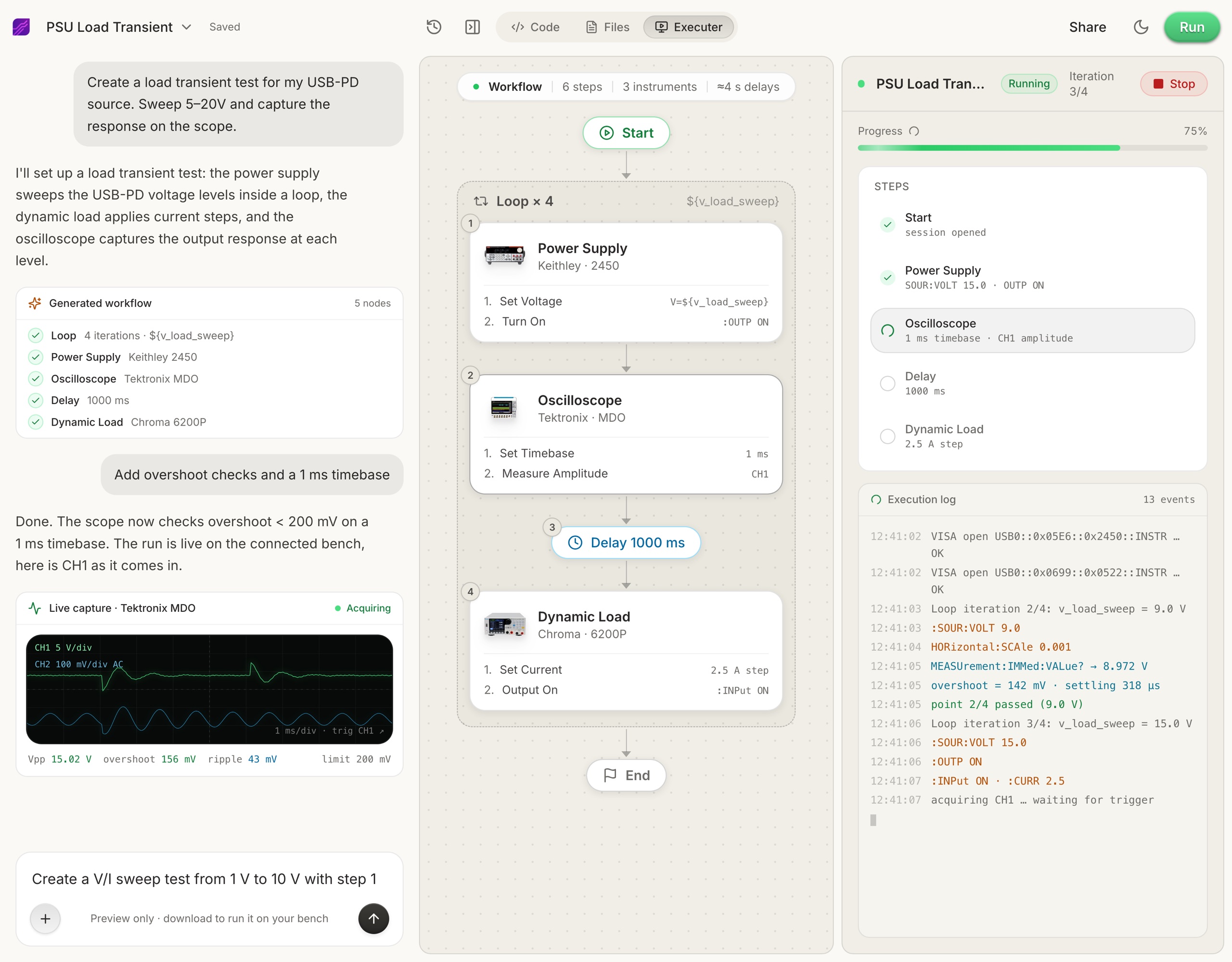
Connect your instruments. Pick the manufacturer and model, paste the VISA address (USB, LAN, GPIB, or serial), and the agent knows what is on your bench. No bench yet? Use a placeholder address, build the full automation, and swap in the real address when you are in the lab.
- 2
Tell the agent what to test. For example, "run a VI sweep from 1 to 10 V in 1 V steps at 0.5 A load current," or "suggest the tests for a power-management device."
- 3
The agent builds the complete workflow in seconds. Instrument-aware automation appears on the canvas, with the generated scripts visible in a code panel you can inspect and edit.
- 4
Run it in your lab. Click Run in the TestFlow desktop app for Windows and the status panel streams results step by step, with measured values inline (VOUT = 3.301 V, asserted 3.2 to 3.4 V, PASS). One click exports a structured PDF report, or the raw results as CSV.
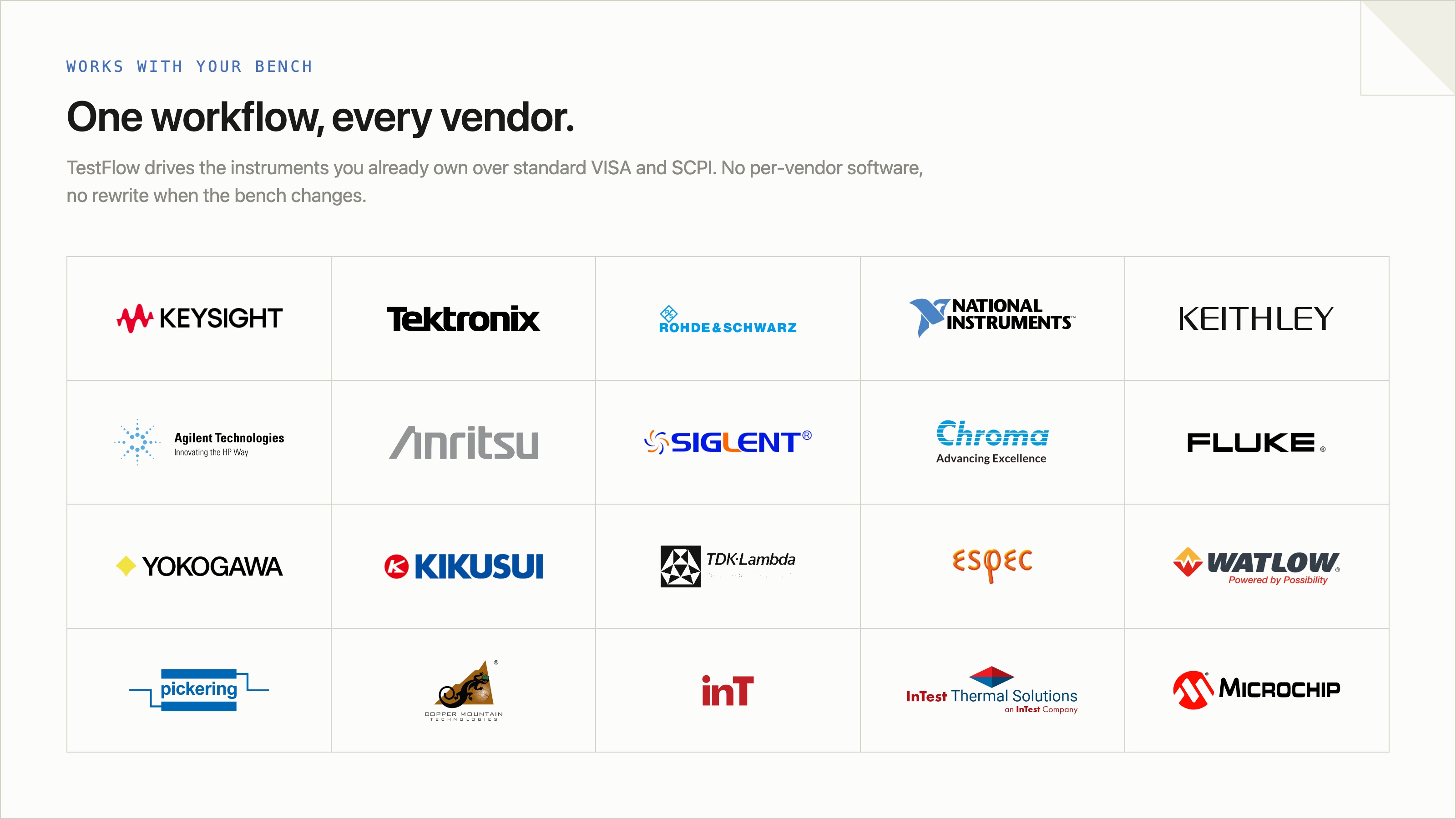
- Vendor-neutral by design. One workflow drives Keysight, Tektronix, Rohde & Schwarz, Rigol, Keithley, Anritsu, and any other SCPI instrument over standard VISA.
- Built in the browser, run on the bench. Workflows live in your workspace, so a sequence built in one lab runs the same way in another. Bench runs use the Windows desktop app.
- Free version to start. Sign in at app.testflowinc.com and build your first workflow today; teams can book a demo to scope a Bench Pilot.
The step-by-step walkthrough, VISA address formats, and Test Planner prompts are all in the TestFlow product guide.
Frequently asked questions
What is the latest version of LabVIEW?
LabVIEW 2026 Q3, released July 2026, per NI's LabVIEW New Features and Changes page. It added prompt-based VI generation with NI Nigel AI, UTF-8 string support for multilingual user interfaces, security settings indicators, and .NET 8.0 support on Linux. LabVIEW 2026 Q1 shipped in January 2026.
Can I open a newer LabVIEW VI in an older version of LabVIEW?
Not directly. A newer LabVIEW opens and recompiles older VIs, but moving a VI back requires the newer editor: File, Save for Previous Version, or a project-wide save version. In current LabVIEW that reaches back as far as LabVIEW 2017, and LabVIEW reports anything it cannot convert.
How far back can LabVIEW Save for Previous Version go?
NI's documentation says you can save VIs, projects, and libraries for as early as LabVIEW 2017. Built applications, shared libraries, and packed project libraries can save for the current editor version only, FPGA VIs save for the current version only, and LabVIEW Real-Time targets must match the editor version for deployment.
Should I use LabVIEW 32-bit or 64-bit?
NI says to pick the bitness that suits your operating system and memory needs. A LabVIEW license covers both. VIs open in either bitness of the same version, but built applications need a runtime of the same bitness, a 64-bit app cannot run on a 32-bit computer, and not every toolkit supports 64-bit, so check your toolkits first.
Which LabVIEW versions does NI still support?
NI's software lifecycle page lists LabVIEW 2023 and later in mainstream support. LabVIEW 2022 Q3, 2021, 2020, and 2019 appear in NI's extended support documentation. A new lifecycle policy with Active, Limited Support, and End of Life phases takes effect on January 15, 2027.
Is LabVIEW 2026 available on macOS?
Only the Community Edition. NI's macOS compatibility page says the final release of LabVIEW Professional for macOS was LabVIEW 2023 Q3, and that LabVIEW for macOS is available only in the Community Edition beginning with LabVIEW 2025 Q3. NI's edition page lists Windows and Linux for the commercial editions.
Automate every instrument in the lab,
Create test workflows in minutes
- 01Describe the testIn a sentence, the way you would tell a colleague.
- 02The agent builds itWorkflow and script for your instruments, any vendor.
- 03Run it, get the reportOn your bench, with the measured values.
Tags

Article by
Ali Kamaly
Ali Kamaly is the Co-Founder and CEO of TestFlow, an AI-native platform for electronics test automation. He writes about test automation, lab validation, and the infrastructure behind modern hardware engineering.
Keep reading
All 18 articles in the LabVIEW guide- LabVIEW Subscription vs Perpetual License 2026 (3.5-Year Break-Even)The licence decision, not the price list. Break-even by edition from ni.com prices, what stops working and what keeps working when a subscription or software service lapses, how to tell which licence you are on, and the
- Keysight BenchVue vs LabVIEW in 2026 (Which One Does Your Bench Need)Two very different tools that get compared constantly. Where each genuinely fits, what both cost, and why most benches end up needing something neither one is.
- How to Migrate from LabVIEW to Python in 2026 (Step-by-Step Guide)A concrete, ordered migration plan from LabVIEW to Python, with the library equivalents for the VIs you actually use, real code, and the four traps that stall most migrations halfway.
- LabVIEW vs MATLAB for Test Automation 2026 (Cost, When to Use Each)Where MATLAB genuinely beats LabVIEW, where it does not, what both cost, and the split that works for teams who already own licences for each.
- Best Electronic Test Automation Software 2026 (8 Tools Compared)Eight tools for automating an electronics lab, what each is genuinely good at, what it costs, and a decision path that starts from your bench rather than from a feature list.
Your next test, automated today
Describe the test. TestFlow builds the workflow, runs it on your instruments, and writes the report. See it on a bench like yours.