nidaqmx Python Guide 2026: NI-DAQmx Without LabVIEW (Working Code)
The full setup for NI DAQ hardware from Python with no LabVIEW seat: driver and package install, simulated devices, tasks and virtual channels, hardware timing, continuous reads that do not overflow, the errors you will hit first, and what the package does not do.
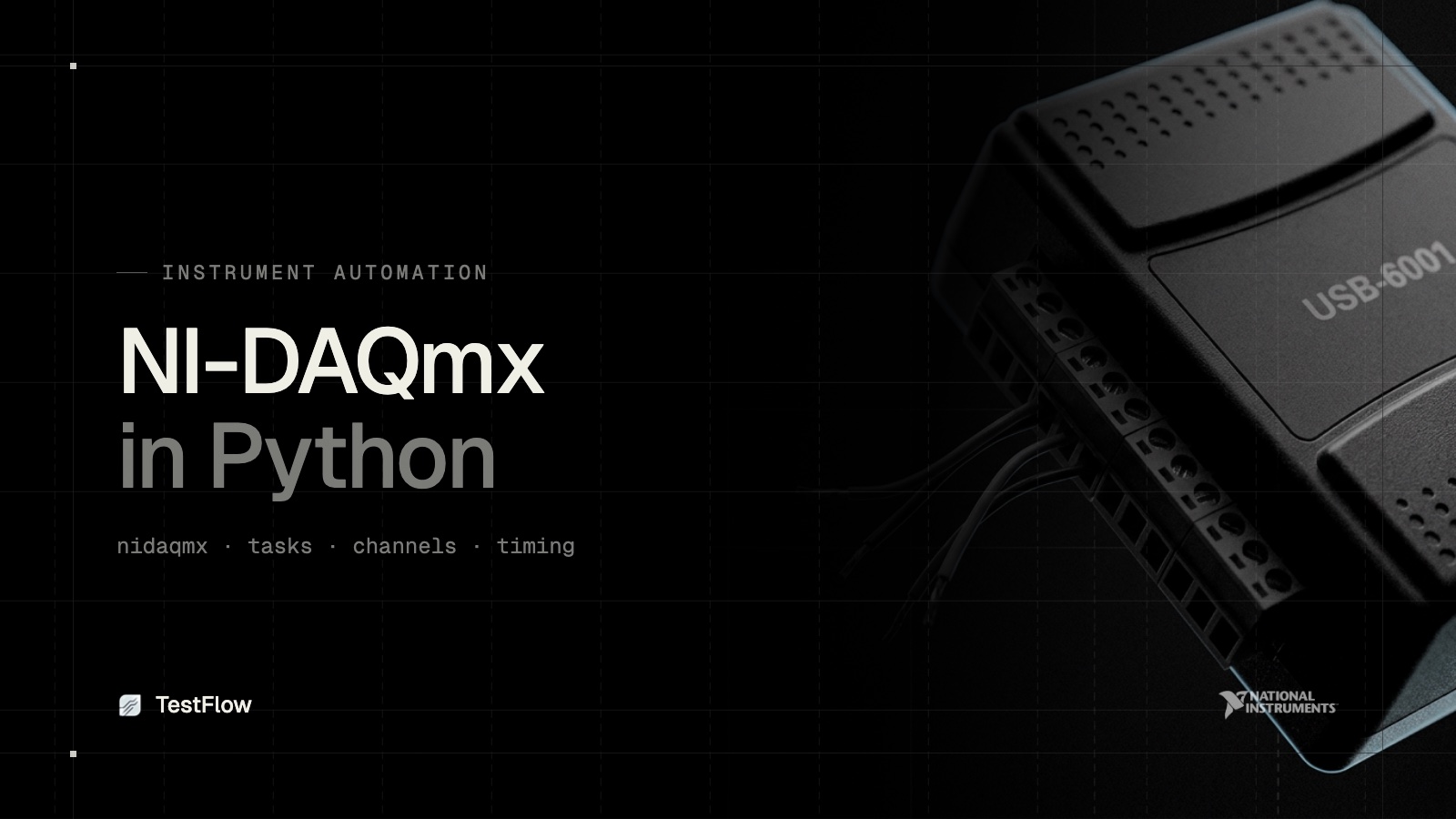
You can use NI-DAQmx from Python without LabVIEW: install the NI-DAQmx driver, then `pip install nidaqmx`, NI's official MIT-licensed Python package, which wraps the NI-DAQmx C API through `ctypes`. Version 1.7.0, released on PyPI on October 26, 2026, supports CPython 3.9 and later on Windows and Linux. You create a Task, add virtual channels such as Dev1/ai0, configure a sample clock, and read samples into Python lists or NumPy arrays. No LabVIEW license is involved at any step.
This guide is for engineers with NI DAQ hardware who want to drive it from Python, either to leave LabVIEW or to put acquisition inside a Python test framework. It goes further than the short overview in DAQ with Python: install and verification, simulated devices, hardware timing, continuous acquisition that does not overflow, and the errors you will meet first. Every fact is checked against NI's documentation or the nidaqmx-python repository.
What you need before the first line of code
| Component | Where it comes from | Notes |
|---|---|---|
| NI-DAQmx driver | python -m nidaqmx installdriver or ni.com/downloads | The actual driver. The Python package cannot run without it |
nidaqmx package | PyPI | 1.7.0 as of November 2026, MIT license |
| Python | python.org or your distribution | CPython 3.9 or later for 1.7.0 |
| NI MAX or NI Hardware Configuration Utility | Installed with the driver | Finds device names and creates simulated devices |
| A DAQ device | Real or simulated | The README examples use an X Series device |
Two version notes matter for planning. The project's changelog lists a 1.8.0 entry that removes support for Python 3.9 and 3.10, so start new projects on 3.11 or later. And the README states that nidaqmx supports all versions of NI-DAQmx, but some functions may be unavailable with older drivers, in which case the package raises DaqFunctionNotSupportedError and points you to ni.com/downloads.
The package does not support macOS. The README limits it to Windows and Linux where the NI-DAQmx driver is supported, and points to NI's hardware and OS compatibility page for specific devices.
Install NI-DAQmx and nidaqmx in three commands
python -m pip install nidaqmx
python -m nidaqmx installdriver
python -c "import nidaqmx.system as s; print(s.System.local().driver_version)"
The installdriver command is part of the package. The README says that on Windows it downloads and launches NI's online streaming installer, and on Linux it downloads the repository registration package for your distribution and installs the driver with the package manager.
The installer metadata shipped in 1.7.0 points at NI-DAQmx 26.8, the 2026 Q4 release, and lists these supported systems:
| Platform | Supported by the 1.7.0 installer metadata |
|---|---|
| Windows | Windows 11, Windows Server 2025, Windows Server 2022 64-bit, Windows 10 IoT Enterprise 2021 |
| Linux | Ubuntu 22.04 and 24.04, RHEL 9 and 10, openSUSE 15.6 and 16.0 |
On Linux the install ends with dkms autoinstall, which builds the kernel modules, so expect it to need the headers for the running kernel.
If you install manually from ni.com, the README says none of the recommended additional items are required for nidaqmx, but recommends keeping the NI Certificates package so Windows trusts NI-built binaries. On a locked-down network, use the offline installer and see NI Package Manager for silent installs, private feeds, and version pinning.
Verify the install and list devices
import nidaqmx.system

system = nidaqmx.system.System.local()
print("NI-DAQmx", system.driver_version)
for device in system.devices:
    print(device.name, device.product_type, list(device.ai_physical_chans.channel_names))
If the import works but this raises DaqNotFoundError with the message "Could not find an installation of NI-DAQmx", the package is fine and the driver is missing or failed to load. On Windows the package loads nicai_utf8.dll and falls back to nicaiu.dll, according to its loader source, so a 32-bit or 64-bit mismatch between Python and the driver shows up here too.
No hardware yet: use a simulated device
NI MAX can create a simulated version of most DAQ devices, and the Python code does not change when you swap in the real one. NI's page on reading and writing data with simulated devices documents exactly what you get back:
| Data type | What a simulated device returns |
|---|---|
| Analog input | A full-scale sine wave with 3% of full-scale noise, each extra channel offset 5 degrees |
| Analog input range | The min and max range sets the sine amplitude; real hardware would clip instead |
| Digital input and output | Each 8-bit port counts like a binary counter |
| Counter input | Always 0 |
Simulated devices show in NI MAX with a yellow icon and use the same naming as real hardware. They are enough to test task setup, timing configuration, buffer handling, and your data pipeline. They do not test signal integrity, grounding, or whether your terminal configuration matches the wiring.
Tasks, virtual channels, and timing
The README's key concepts map onto three objects:
- •Task. A collection of one or more virtual channels with timing, triggering, and other properties. Use it as a context manager so it is always cleared.
- •Virtual channel. A physical channel plus its range, terminal configuration, and scaling. Physical channel names follow the device, for example
Dev1/ai0,Dev2/ao5,Dev6/ctr3, orcDAQ1Mod4/ai0. - •Timing. NI's hardware versus software timing page explains that calling the Sample Clock Timing function selects hardware timing, and that a hardware clock is faster and more accurate than a software loop. If you never configure it, you get software timing. NI also notes that some devices do not support hardware timing at all.
A finite, hardware-timed acquisition into NumPy
import numpy as np
import nidaqmx
from nidaqmx.constants import AcquisitionType, TerminalConfiguration
from nidaqmx.stream_readers import AnalogMultiChannelReader

RATE = 1000.0          # samples per channel per second
SAMPLES = 1000         # one second of data per channel
CHANNELS = "Dev1/ai0:1"

with nidaqmx.Task() as task:
    task.ai_channels.add_ai_voltage_chan(
        CHANNELS,
        terminal_config=TerminalConfiguration.DIFF,
        min_val=-10.0,
        max_val=10.0,
    )
    task.timing.cfg_samp_clk_timing(
        RATE, sample_mode=AcquisitionType.FINITE, samps_per_chan=SAMPLES
    )
    reader = AnalogMultiChannelReader(task.in_stream)
    data = np.zeros((2, SAMPLES))
    task.start()
    reader.read_many_sample(data, number_of_samples_per_channel=SAMPLES, timeout=10.0)

for name, row in zip(("ai0", "ai1"), data):
    print(f"{name}: mean {row.mean():.4f} V, pk-pk {np.ptp(row):.4f} V")
Three choices in that script are worth keeping. The range is explicit, because the default for add_ai_voltage_chan is -5 V to 5 V. The terminal configuration is explicit, because DEFAULT lets the device decide and a mismatch with your wiring produces believable but wrong numbers. And the stream reader fills a preallocated array, which the package documentation recommends for performance, especially in continuous loops.
Continuous acquisition without error -200279
Continuous acquisition is where most Python DAQ scripts fail. NI's knowledge base article on error -200279 explains the cause: the PC buffer is written continuously by the hardware but only read periodically by your program, so if the read rate falls behind the sample rate, samples are overwritten. NI's fixes are to read more often, read a fixed number of samples instead of all available samples, enlarge the buffer, move slow work out of the acquisition loop, or lower the sample rate.
NI's buffer size rules show what you get by default in continuous mode, when the samples-per-channel value is smaller than these:
| Sample rate | Default buffer per channel |
|---|---|
| No rate specified | 10 kS |
| 0 to 100 S/s | 1 kS |
| 101 to 10,000 S/s | 10 kS |
| 10,001 to 1,000,000 S/s | 100 kS |
| Above 1,000,000 S/s | 1 MS |
At 10,000 S/s that default is one second of headroom. A garbage collection pause, a slow file write, or a plot redraw longer than that loses data. The pattern that holds up reads fixed blocks of about a tenth of a second and hands them off:
import queue
import threading
import numpy as np
import nidaqmx
from nidaqmx.constants import AcquisitionType
from nidaqmx.stream_readers import AnalogSingleChannelReader

RATE = 10_000.0
BLOCK = int(RATE // 10)      # read 100 ms at a time
blocks: "queue.Queue[np.ndarray]" = queue.Queue()
stop = threading.Event()

def acquire() -> None:
    with nidaqmx.Task() as task:
        task.ai_channels.add_ai_voltage_chan("Dev1/ai0", min_val=-10.0, max_val=10.0)
        task.timing.cfg_samp_clk_timing(RATE, sample_mode=AcquisitionType.CONTINUOUS)
        task.in_stream.input_buf_size = int(RATE * 5)   # five seconds of headroom
        reader = AnalogSingleChannelReader(task.in_stream)
        task.start()
        while not stop.is_set():
            buf = np.empty(BLOCK)
            reader.read_many_sample(buf, number_of_samples_per_channel=BLOCK, timeout=5.0)
            blocks.put(buf)

worker = threading.Thread(target=acquire, daemon=True)
worker.start()
# The main thread consumes blocks: log, analyze, or plot without stalling the read loop.
input_buf_size is the package's property for the input buffer, and its docstring states that setting it overrides NI-DAQmx's automatic allocation. For logging at high rates, the README shows task.in_stream.configure_logging(...) writing TDMS directly from the driver, readable later with the third-party npTDMS package.
The nidaqmx errors you will hit first
nidaqmx raises DaqError subclasses that carry the NI-DAQmx error code. The names below come from the package's own error_codes.py:
| Code or exception | Name in nidaqmx | Usual cause on a bench |
|---|---|---|
DaqNotFoundError | n/a | Driver not installed, or a bitness mismatch |
| -200279 | SAMPLES_NO_LONGER_AVAILABLE | Reading slower than acquiring, see above |
| -200284 | SAMPLES_NOT_YET_AVAILABLE | Read timed out before the samples arrived |
| -200170 | PHYSICAL_CHAN_DOES_NOT_EXIST | Wrong device name or channel, check NI MAX |
| -201003 | DEV_CANNOT_BE_ACCESSED | Device unplugged, powered off, or not detected |
| -50103 | PAL_RESOURCE_RESERVED | Another task or program already holds the resource |
The last one is the classic: a LabVIEW VI, NI MAX test panel, or a second Python process still owns the device. Close it, or call device.reset_device() from nidaqmx.system. Reset is also among the checks NI lists for validating a device after the NI-PAL security update.
What nidaqmx does not give you
The package is a driver API, and a good one. It stops at samples. You still build:
- •Sequencing and limits. Which measurement runs when, what counts as a pass, and what happens on a fail. Python hardware test frameworks compares the options.
- •The other instruments. Power supplies, DMMs, and scopes on the same bench speak SCPI over VISA, not DAQmx. The PyVISA tutorial covers that layer and Python instrument control covers the stack.
- •Reports. A run record with measured values, limits, and verdicts, see automated test report generation.
- •An operator interface, if anyone other than the author will run it.
That list is what LabVIEW was quietly providing. The LabVIEW to Python migration guide covers rebuilding it, and LabVIEW vs Python is the honest trade-off.
Where TestFlow fits
TestFlow is an AI agent for electronics testing. You describe the test, the agent builds the automation, drives the instruments, and writes the report from the measured results. It is built around VISA and SCPI bench instruments from any vendor, through a Windows desktop app.
Its DAQ coverage is deliberately narrow: the NI USB-6001, USB-6501, and PCI-6515, through NI-DAQmx. If your bench pairs one of those with SCPI instruments, TestFlow can build the whole test without the glue code above. If you run X Series, CompactDAQ, PXI DAQ, or high-rate continuous acquisition, nidaqmx in Python is the right tool, and TestFlow is not a replacement for it. Teams on TestStand can import their sequences, which keeps the sequences and the calls between them. See the supported instruments list and start on the free version.
Related reading
- •DAQ with Python, the short introduction to nidaqmx and PyVISA
- •Data acquisition software compared, the wider field
- •Data logger without LabVIEW, logging-first setups
- •NI FlexLogger alternatives, if you want configuration over code
- •Call LabVIEW and TestStand from Python, keeping existing VIs running
- •NI Package Manager guide, installing and pinning NI-DAQmx
- •LabVIEW hub, everything on the site about LabVIEW
- •NI TestStand alternatives, when sequencing is the next problem
Where TestFlow fits
Python plus nidaqmx is a solid DAQ stack. TestFlow sits one level up, building and running the whole bench test across VISA and SCPI instruments and a short list of NI DAQ devices.
- 1
Connect your instruments. Pick the manufacturer and model, paste the VISA address (USB, LAN, GPIB, or serial), and the agent knows what is on your bench. No bench yet? Use a placeholder address, build the full automation, and swap in the real address when you are in the lab.
- 2
Tell the agent what to test. For example, "run a VI sweep from 1 to 10 V in 1 V steps at 0.5 A load current," or "suggest the tests for a power-management device."
- 3
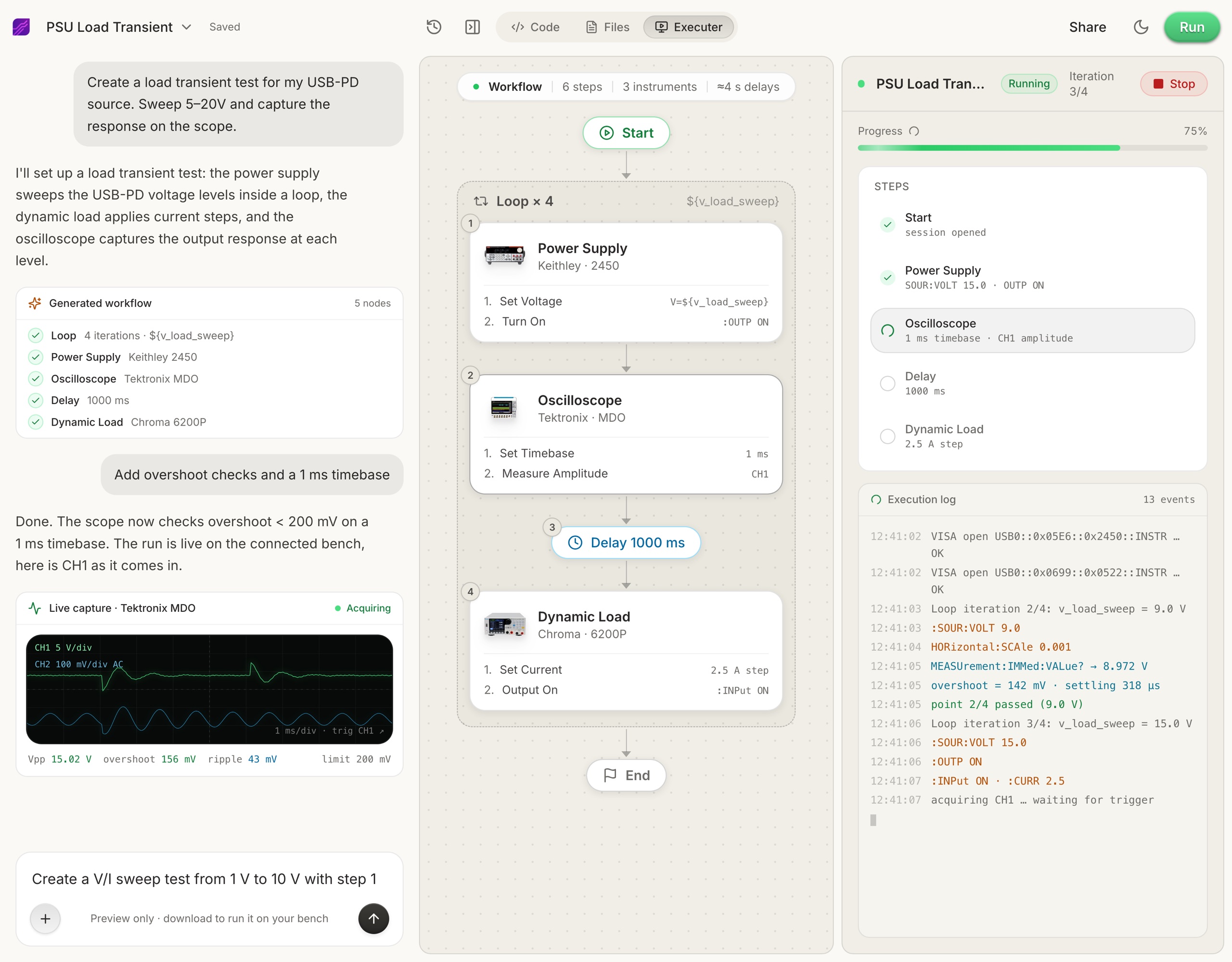
The agent builds the complete workflow in seconds. Instrument-aware automation appears on the canvas, with the generated scripts visible in a code panel you can inspect and edit.
- 4
Run it in your lab. Click Run in the TestFlow desktop app for Windows and the status panel streams results step by step, with measured values inline (VOUT = 3.301 V, asserted 3.2 to 3.4 V, PASS). One click exports a structured PDF report, or the raw results as CSV.
- Vendor-neutral by design. One workflow drives Keysight, Tektronix, Rohde & Schwarz, Rigol, Keithley, Anritsu, and any other SCPI instrument over standard VISA.
- Built in the browser, run on the bench. Workflows live in your workspace, so a sequence built in one lab runs the same way in another. Bench runs use the Windows desktop app.
- Free version to start. Sign in at app.testflowinc.com and build your first workflow today; teams can book a demo to scope a Bench Pilot.
The step-by-step walkthrough, VISA address formats, and Test Planner prompts are all in the TestFlow product guide.
Frequently asked questions
Can I use NI-DAQmx from Python without LabVIEW?
Yes. The nidaqmx package is NI's official Python API for NI-DAQmx. It wraps the NI-DAQmx C API with ctypes, so it needs the NI-DAQmx driver installed but not LabVIEW. NI created and supports the package, and it is MIT licensed.
How do I install nidaqmx?
Run python -m pip install nidaqmx, then python -m nidaqmx installdriver to install the NI-DAQmx driver. On Windows that command launches NI's online installer, and on Linux it registers NI's repository and installs the driver with the distribution's package manager. You can also download NI-DAQmx from ni.com/downloads.
Which Python versions does nidaqmx support?
Version 1.7.0, released on PyPI on October 26, 2026, requires CPython 3.9 or later. The 1.8.0 entry in the project's changelog on GitHub removes support for Python 3.9 and 3.10, so new projects should start on 3.11 or later.
Does nidaqmx work on macOS?
No. The package README states that nidaqmx supports Windows and Linux where the NI-DAQmx driver is supported. NI publishes a hardware and operating system compatibility page for checking a specific device.
How do I fix nidaqmx error -200279?
Error -200279 means the application is not keeping up with the hardware acquisition, so samples in the PC buffer were overwritten before they were read. NI's fixes are to read more often, read a fixed number of samples instead of all available samples, enlarge the buffer, or lower the sample rate.
Can I test nidaqmx code without DAQ hardware?
Yes. Create a simulated device in NI MAX. NI documents that simulated devices return analog input as a full-scale sine wave with 3 percent of full-scale noise, digital ports as binary counters, and counter data as 0, so you can test task setup and data handling.
Automate every instrument in the lab,
Create test workflows in minutes
- 01Describe the testIn a sentence, the way you would tell a colleague.
- 02The agent builds itWorkflow and script for your instruments, any vendor.
- 03Run it, get the reportOn your bench, with the measured values.
Tags

Article by
Ali Kamaly
Ali Kamaly is the Co-Founder and CEO of TestFlow, an AI-native platform for electronics test automation. He writes about test automation, lab validation, and the infrastructure behind modern hardware engineering.
- PyVISA Tutorial in 2026 (Control Any Lab Instrument from Python)Everything needed to drive a bench instrument from Python: backends, resource strings, the query and write distinction, binary transfers, error checking, and the traps that waste a first afternoon.
- SCPI Commands Cheat Sheet 2026: DMM, Scope, PSU, Load & SwitchThe SCPI commands you actually use, organised by instrument class, with the universal commands, the syntax rules that trip people up, and where Keysight, Tektronix, and Rigol differ.
- Function Generator Specifications: What to Test and How to Automate ItFunction generator specifications explained, which specs to validate, and how to automate the test with TestFlow straight from the datasheet.
- Multimeter Software for Logging and Automation (34461A / 34465A)The best multimeter software for logging and automation on the Keysight 34461A and 34465A, plus how TestFlow scripts measurements without code.
- NI TestStand Alternatives 2026: Free, Open-Source & AI OptionsThe best NI TestStand alternatives in 2026: OpenTAP, pytest, Robot Framework, and AI-native TestFlow. Plus what TestStand does, how it works with LabVIEW, and what it costs.
Your next test, automated today
Describe the test. TestFlow builds the workflow, runs it on your instruments, and writes the report. See it on a bench like yours.