LabVIEW Subscription vs Perpetual License 2026 (3.5-Year Break-Even)
The licence decision, not the price list. Break-even by edition from ni.com prices, what stops working and what keeps working when a subscription or software service lapses, how to tell which licence you are on, and the service price that decides the answer.
In 2026 NI sells LabVIEW both ways: a subscription at $605, $1,801, or $2,805 a year for Base, Full, or Professional, or a perpetual licence at $2,116, $6,300, or $10,107 (ni.com US list, November 2026). NI states there is no functional difference between them. Perpetual breaks even after 3.5 years of subscription for Base and Full and 3.6 years for Professional, but only if you never renew software service. A lapsed subscription stops the development environment. A perpetual licence keeps working at the installed version, without upgrades, support, or downloads once its first year of service ends. For most teams subscription is the cheaper shape, and perpetual wins only when a contract demands owned tools or the station is frozen for years.
This page is the decision, not the price list. For every edition and add-on, see LabVIEW pricing, and for the rest of the NI stack see NI software licensing costs. Here: the break-even by edition, what lapses and what keeps running, how to tell which licence you own, and the one number to get from NI before you choose.
The break-even, edition by edition
All prices are US list on ni.com as of November 2026, per seat. Renewals are held flat, which NI does not promise: its LabVIEW product page says subscriptions and software service renew "at then-current prices".
| Edition | Subscription per year | Perpetual | Break-even | 5 years of subscription | 10 years of subscription |
|---|---|---|---|---|---|
| Base | $605 | $2,116 | 3.5 years | $3,025 | $6,050 |
| Full | $1,801 | $6,300 | 3.5 years | $9,005 | $18,010 |
| Professional | $2,805 | $10,107 | 3.6 years | $14,025 | $28,050 |
The table flatters perpetual, because the perpetual column assumes you never pay for software service after year one. Add service and the break-even moves out by however many years of service it takes to close the gap.
The service price decides it
NI does not list the annual software service price for a perpetual LabVIEW seat. It is quoted. So work backwards from the numbers you do have. Over five years, a perpetual seat costs the licence plus four years of service, since year one is included. Set that equal to five years of subscription and solve for the service price:
| Edition | Perpetual stays cheaper over 5 years only if annual service is below |
|---|---|
| Base | $227 per seat |
| Full | $676 per seat |
| Professional | $980 per seat |
Ask NI for the service renewal quote on your seats. If it is above these lines and you intend to keep upgrading, subscription is cheaper over five years. If you will freeze the version and never renew service, perpetual wins from year four onward.
What you get with each licence
NI's LabVIEW editions page answers the feature question directly: there are no functional or feature-level differences between subscription and perpetual. The differences are all in the service layer.
| Subscription | Perpetual, year 1 | Perpetual, service lapsed | |
|---|---|---|---|
| LabVIEW features | Everything in your edition | Same | Same, at the installed version |
| New and previous version downloads | Included | Included | Not included |
| Technical support | Included | Included | Not included |
| Nigel AI | Included | Included | Not available |
| If you stop paying | Development environment stops | n/a | Installed version keeps working |
| Deployed executables | Keep running | Keep running | Keep running |
The sources for each row are NI's own pages. The editions page lists the service benefits, "new and previous version downloads, technical support, and LabVIEW Core 1 on-demand", and says they are included in subscriptions and in the first year of perpetual licences. Its footnote states that Nigel AI is available with an active subscription license or NI software service agreement. And it states that a perpetual licence "will never stop working", while a subscription must be renewed to keep using the software.
What lapses, and what keeps working
The part of the decision people get wrong is deployment. NI's How to Choose the Right NI Software License page is explicit: for software like LabVIEW, the runtime engine license is included in the cost of the development licence, even on subscription. Its example is the one that matters: if you deploy an executable and then do not renew the subscription, the deployed application is not affected and continues to work.
So a lapsed subscription costs you the ability to change code, not the ability to run it. Three consequences follow:
- •Production stations running built executables do not depend on the subscription. The LabVIEW Run-Time Engine is a free download from NI.
- •Stations running VIs in the development environment do. If a tester launches source VIs, a lapsed seat stops the line. Build executables before you let seats lapse.
- •Toolkits that need their own runtime licence are separate. NI's deployment and debug licenses page lists the products that need a per-station deployment licence. Those are perpetual and one-time either way.
Support lifecycle: what changes on January 15, 2027
Perpetual licences age. NI's software product lifecycle policies, published April 29, 2026, show two things worth planning around:
- •In the current policy, software downloads require an active subscription or service agreement, and LabVIEW 2023 and later are in mainstream support.
- •A new policy takes effect on January 15, 2027. Its table lists security updates for 5 years after release, then possibly with a long-term service agreement, and phone and email support only with an active subscription or service agreement.
A perpetual copy bought today keeps running, but its security updates and support follow the version's lifecycle and your service status, not the licence.
How to tell which LabVIEW licence you are on
Check in this order, from the most reliable record to the least:
- 1
The order or quote. The line item states the term: an annual subscription or a perpetual licence. On ni.com they are separate purchases for each edition.
- 2
Your NI account. The My Products and Manage Software areas of your ni.com account list the software registered to you.
- 3
NI License Manager on the PC. NI's License Manager overview describes it as the tool for activation, deactivation, and license transfer, by NI account, serial number, or volume license server. Seats activated from a volume license server are managed by your licence administrator, so ask them for the term.
- 4
NI support, with the serial number, if the paperwork is gone.
Do this before the renewal notice arrives. NI's LabVIEW product page states that NI offers subscription software licenses that automatically renew, so the default outcome of doing nothing is another year at the then-current price.
Which one to choose
| Your situation | Choose | Why |
|---|---|---|
| Active development, upgrading with NI releases | Subscription | Cheaper over 5 years unless service is quoted low |
| Contract or customer requires owned tools | Perpetual | NI names business or contractual requirements as the case for perpetual |
| Frozen station, no upgrades for 5+ years | Perpetual, no service | Cheapest from year 4, but no support or downloads |
| Uncertain project length | Subscription | NI calls it the lowest upfront cost and easiest to scale |
| Seats used only to run built executables | Neither | The runtime engine is free; build and drop the seat |
| Non-commercial, personal use | Community Edition | Free, non-commercial only, per NI |
NI's own summary on the license-choice page is candid: in many cases, the long-term cost of a perpetual licence is greater than that of a subscription, but perpetual offers non-stop usage that some contracts require.
Worked example: three Full seats over five years
Three engineers on LabVIEW Full, ni.com US list prices as of November 2026:
| Option | Year 1 | Years 2 to 5 | Five-year total |
|---|---|---|---|
| Subscription, 3 seats | $5,403 | $5,403 a year | $27,015 |
| Perpetual, 3 seats, no service renewal | $18,900 | $0 | $18,900 |
| Perpetual, 3 seats, service renewed | $18,900 | 3 × quoted service a year | $18,900 plus 12 seat-years of service |
The perpetual-without-service line saves $8,115 and freezes the team on one version with no support. The perpetual-with-service line beats subscription only if service is quoted below $676 per seat per year. That one quote is the whole decision. Stretch the horizon to ten years and the same three subscription seats total $54,030 at flat prices, against $18,900 for perpetual with no service. That gap is real, but it buys a team that is ten years behind NI releases, outside technical support, and dependent on the security-update window of one version.
The other lever is headcount. If one of the three seats is only used to run tests, not write them, building an executable and dropping that seat saves $1,801 a year on subscription, more than any discount you will negotiate.
Before the renewal date: a checklist
Renewal is the one moment each year when the licence mix is cheap to change. Work through this list a quarter ahead, not in the week the invoice arrives.
- 1
Count seats by use, not by name. For each seat, note whether its holder writes or changes code in the last 90 days, only runs tests, or has left. Only the first group needs a development licence.
- 2
Build executables for the run-only benches. NI's licence guidance says the runtime engine licence is included with the development licence and keeps working if the subscription is not renewed. A bench that only runs a built application does not need a seat.
- 3
Check the edition each person actually uses. Professional adds the Application Builder, Nigel AI, and the Report Generation, Database Connectivity, and Advanced Signal Processing Toolkits, according to the editions page. At $2,805 against $1,801 a year, a Full seat saves $1,004 a year for anyone who uses none of those.
- 4
Ask for two quotes side by side. Subscription renewal and perpetual with annual service, per seat, at your volume. NI lists volume licences for 5 or more seats on the editions page, with pricing by contact.
- 5
Look at the benches, not only the licences. If a seat exists to sequence a power supply, a DMM, and a scope over SCPI, that bench can move to Python or to an AI agent, and the seat goes with it. LabVIEW vs Python sets out that trade honestly.
The output is a short table: seats to renew on subscription, seats to convert to perpetual, seats to drop, and benches to rebuild. That table, not the list price, is what moves the bill.
Where TestFlow fits
The licence question changes when fewer benches need LabVIEW at all. TestFlow is an AI agent for electronics testing: you describe the test, the agent builds the automation, drives the instruments over VISA and SCPI from any vendor through a Windows desktop app, and writes the report from the measured results.
That covers the bench tests that sit on SCPI power supplies, DMMs, loads, and scopes, which are often the reason a validation engineer holds a LabVIEW seat. It does not replace LabVIEW for FPGA, real-time, or broad NI DAQ work: TestFlow's DAQ coverage is limited to the NI USB-6001, USB-6501, and PCI-6515 through NI-DAQmx, and it has no operator and user management or database connectivity yet. Teams on TestStand can import their sequences, keeping the sequences and the calls between them. It has a free version to start, and the supported instruments list shows what it drives.
Related reading
- •LabVIEW pricing, every edition and add-on
- •NI software licensing costs, LabVIEW, TestStand, and VeriStand together
- •TestStand pricing, the same subscription question for TestStand
- •LabVIEW alternatives, if the renewal is the trigger
- •LabVIEW to Python migration, moving seats off LabVIEW one bench at a time
- •Download LabVIEW, Community, student, and trial editions
- •LabVIEW FPGA and real-time, the seats worth keeping
- •LabVIEW hub, everything on the site about LabVIEW
- •NI TestStand alternatives, the executive side of the stack
- •Python instrument control, the free stack for SCPI benches
- •PyVISA tutorial, the first library a Python bench needs
Where TestFlow fits
A renewal date is a good moment to ask which benches still need LabVIEW at all. TestFlow covers the SCPI bench tests, and LabVIEW keeps the work it is best at.
- 1
Connect your instruments. Pick the manufacturer and model, paste the VISA address (USB, LAN, GPIB, or serial), and the agent knows what is on your bench. No bench yet? Use a placeholder address, build the full automation, and swap in the real address when you are in the lab.
- 2
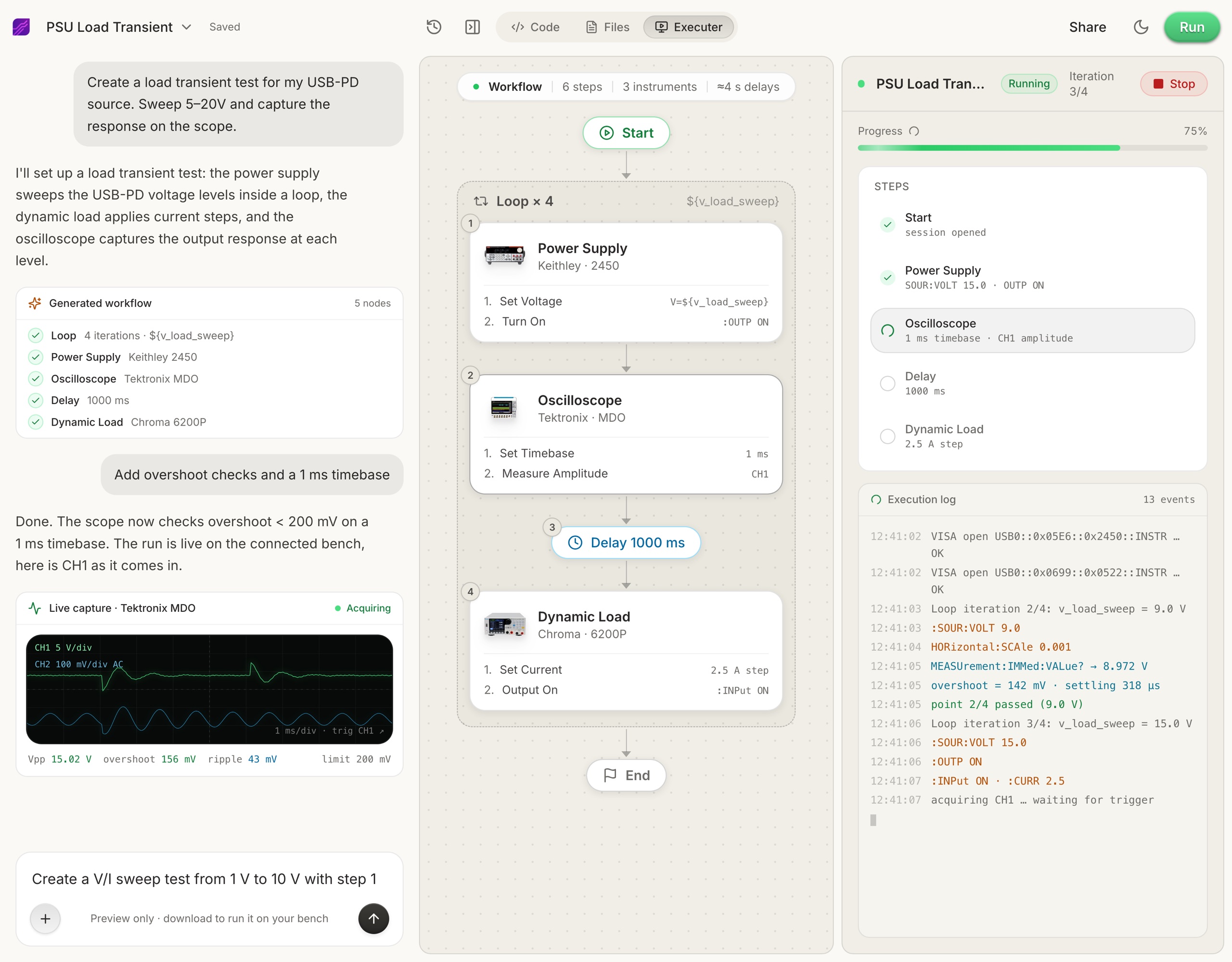
Tell the agent what to test. For example, "run a VI sweep from 1 to 10 V in 1 V steps at 0.5 A load current," or "suggest the tests for a power-management device."
- 3
The agent builds the complete workflow in seconds. Instrument-aware automation appears on the canvas, with the generated scripts visible in a code panel you can inspect and edit.
- 4
Run it in your lab. Click Run in the TestFlow desktop app for Windows and the status panel streams results step by step, with measured values inline (VOUT = 3.301 V, asserted 3.2 to 3.4 V, PASS). One click exports a structured PDF report, or the raw results as CSV.
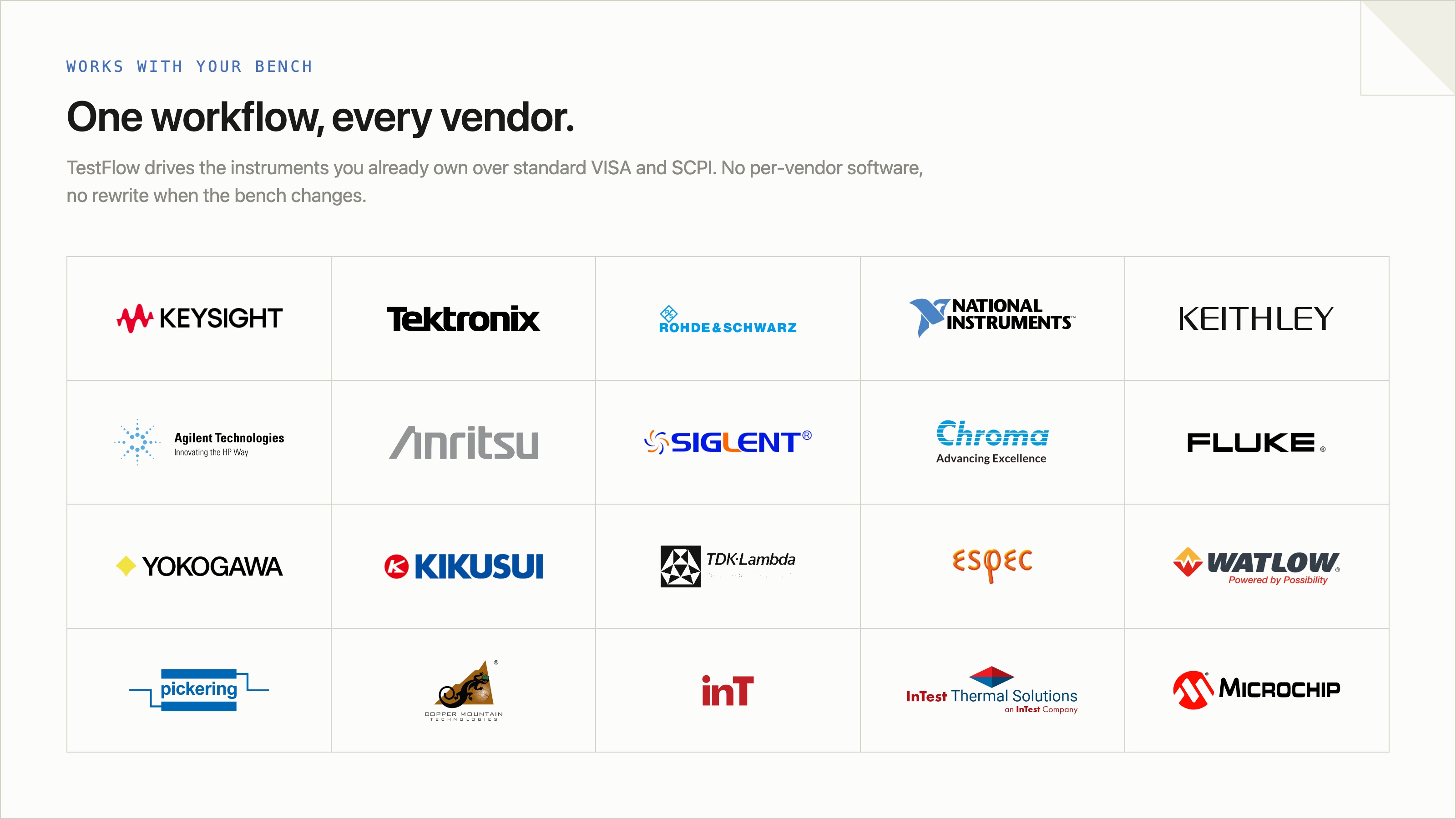
- Vendor-neutral by design. One workflow drives Keysight, Tektronix, Rohde & Schwarz, Rigol, Keithley, Anritsu, and any other SCPI instrument over standard VISA.
- Built in the browser, run on the bench. Workflows live in your workspace, so a sequence built in one lab runs the same way in another. Bench runs use the Windows desktop app.
- Free version to start. Sign in at app.testflowinc.com and build your first workflow today; teams can book a demo to scope a Bench Pilot.
The step-by-step walkthrough, VISA address formats, and Test Planner prompts are all in the TestFlow product guide.
Frequently asked questions
Can I still buy a perpetual LabVIEW license in 2026?
Yes. As of November 2026, ni.com lists perpetual LabVIEW licenses at $2,116 for Base, $6,300 for Full, and $10,107 for Professional, US list, next to annual subscriptions at $605, $1,801, and $2,805.
Is a perpetual LabVIEW license cheaper than a subscription?
Only after about 3.5 years, and only if you never renew software service. The perpetual price equals 3.5 years of subscription for Base and Full and 3.6 years for Professional. Over five years, perpetual stays cheaper only if annual software service costs less than $227 for Base, $676 for Full, or $980 for Professional per seat.
What happens when a LabVIEW subscription expires?
NI states that once the subscription term is up you must renew to keep using the software, so the development environment stops. Executables you already built and deployed keep running, because NI says the runtime engine license is included in the development license even on subscription.
What happens when software service lapses on a perpetual license?
NI states that the software continues to operate with the version you have installed. You lose the service benefits: new and previous version downloads, technical support, and Nigel AI, which NI makes available only with an active subscription or service agreement.
Is there any feature difference between LabVIEW subscription and perpetual?
No. NI states there are no functional or feature-level differences when purchasing NI software through a subscription or a perpetual license. Both include the same features.
Do LabVIEW subscriptions renew automatically?
NI's LabVIEW product page states that NI offers subscription software licenses that automatically renew, and that subscriptions and software service renew at then-current prices. Check the renewal date in your NI account well before it arrives.
Automate every instrument in the lab,
Create test workflows in minutes
- 01Describe the testIn a sentence, the way you would tell a colleague.
- 02The agent builds itWorkflow and script for your instruments, any vendor.
- 03Run it, get the reportOn your bench, with the measured values.
Tags

Article by
Ali Kamaly
Ali Kamaly is the Co-Founder and CEO of TestFlow, an AI-native platform for electronics test automation. He writes about test automation, lab validation, and the infrastructure behind modern hardware engineering.
Keep reading
All 18 articles in the LabVIEW guide- Keysight BenchVue vs LabVIEW in 2026 (Which One Does Your Bench Need)Two very different tools that get compared constantly. Where each genuinely fits, what both cost, and why most benches end up needing something neither one is.
- How to Migrate from LabVIEW to Python in 2026 (Step-by-Step Guide)A concrete, ordered migration plan from LabVIEW to Python, with the library equivalents for the VIs you actually use, real code, and the four traps that stall most migrations halfway.
- LabVIEW vs MATLAB for Test Automation 2026 (Cost, When to Use Each)Where MATLAB genuinely beats LabVIEW, where it does not, what both cost, and the split that works for teams who already own licences for each.
- How to Build a Multi-Channel Data Logger Without LabVIEWBuild a multi-channel data logger without LabVIEW. Compare data logging systems and automate acquisition from the datasheet with TestFlow.
- AI Test Automation for Lab Instruments in 2026 (6 Options Compared)Six ways to put a language model in charge of a bench in 2026, checked against each vendor's own documentation: what each one automates, what it costs, and what stops it from sending a bad command or inventing a number.
Your next test, automated today
Describe the test. TestFlow builds the workflow, runs it on your instruments, and writes the report. See it on a bench like yours.