NI-VISA Alternatives in 2026 (Keysight, R&S, TekVISA, pyvisa-py)
Every practical NI-VISA alternative checked against its vendor's own page in November 2026, when NI-VISA is still the right install, the licensing rule NI publishes, and how two VISA libraries share one Windows PC without breaking each other.
The main NI-VISA alternatives in 2026 are Keysight VISA (part of the Keysight IO Libraries Suite), R&S VISA from Rohde & Schwarz, Tektronix TekVISA, and pyvisa-py, a pure-Python PyVISA backend that needs no VISA library installed at all. All of them implement the same VISA interface standard, so code written against VISA usually moves between them with no changes beyond the install. NI-VISA is still the right choice when the PC runs NI hardware or NI software, because NI's license covers it there, and on 32-bit Windows it is the library that must own the primary slot when two vendors' VISA share a machine.
This guide is for test engineers and test leads who searched for an NI-VISA download and want to know whether they need it, which alternative fits their bench, and how to keep two VISA libraries from fighting. Every version and rule below was checked on the vendor's own page in November 2026. If VISA and SCPI are new to you, start with VISA and SCPI instrument control.
What NI-VISA is, and the 2026 Q4 download
NI describes NI-VISA as an NI instrument driver that implements the Virtual Instrument Software Architecture, with support for Ethernet, GPIB, serial, USB, and other instrument types (NI-VISA download page). As of November 2026 that page lists:
- •Version: NI-VISA 2026 Q4, released October 15, 2026. The version list shows a release roughly every quarter going back through 2022.
- •Platforms: Windows, macOS, and Linux, in 32-bit and 64-bit.
- •Edition: Full. Downloading requires an NI account login.
- •Install order: NI tells you to install programming environments such as LabVIEW or Microsoft Visual Studio before installing NI-VISA.
NI-VISA ships two utilities most engineers use daily. NI I/O Trace logs the calls your program makes to NI-VISA and NI-488.2, and VISA Interactive Control (VISAIC, called NIvisaic on Linux) lists every resource on the system and opens a session with tabs for reads, writes, and attributes (NI-VISA Utilities).
The licensing rule NI publishes for NI-VISA
This is the part most forum threads get wrong. NI's deployment and debug licenses page puts NI-VISA (part number 777300-00) in the table of products whose deployment license is "the same as development", and the "Included in Hardware" column for NI-VISA reads "NI Software or Hardware". The same page states the general rule: one deployment license for each target computer on which the application runs.
The reading that follows from NI's own table: on a PC that runs NI software or NI hardware, NI-VISA is covered. On a PC with neither, for example a Python script driving a Keysight supply, check the license agreement or ask NI before you deploy. This is also the most common reason teams look for an alternative.
Check the NI driver security notice first
NI's driver pages, including the NI-VISA page, carry a critical security notice in November 2026: customers on NI driver software 2026 Q2 or earlier should follow ni.com/ni-pal-update. That page covers CVE-2026-18485, a local privilege escalation in NI-PAL 26.3.1 and earlier on Windows, and recommends NI-PAL 2026 Q3 or later. If you keep an older NI-VISA for compatibility, read it before you install.
NI-VISA alternatives compared
Every row below comes from the vendor's own download or documentation page, checked November 2026.
| Library | Latest version listed | Platforms | Test and discovery tool | Terms |
|---|---|---|---|---|
| NI-VISA | 2026 Q4 (Oct 15, 2026) | Windows, macOS, Linux | VISA Interactive Control, NI MAX | Covered with NI software or hardware |
| Keysight VISA (IO Libraries Suite) | 2026 Update 1, build 21.4.204 (Sep 14, 2026) | Windows 10, 11, Server 2019 to 2025; Windows on ARM; Linux | Connection Expert, Interactive IO, IO Monitor | No extra charge, downloadable from Keysight |
| R&S VISA | 7.2.6 for Windows (Aug 11, 2025) | Windows; macOS 5.12.11; Linux and RaspiOS 5.12.9 | RsVisaTester, RsVisaTraceTool | Royalty-free software terms |
| Tektronix TekVISA | V5.11.1 (Apr 16, 2024) | PC install, see release notes | TekVISA utilities | Tektronix download policy |
| pyvisa-py | Current on PyPI | Any OS with Python | pyvisa-shell, pyvisa-info | Open source, pip install |
Keysight IO Libraries Suite (Keysight VISA)
The Keysight IO Libraries Suite is the most complete NI-VISA alternative on Windows. Keysight's help says the suite is "available for no extra charge with Keysight instruments" and can be downloaded from the web (About Keysight IO Libraries Suite). The IO Libraries Suite download page lists 2026 Update 1 (build 21.4.204), released September 14, 2026, with the new-generation Connection Expert, Interactive IO, and IO Monitor, and the Classic versions still available.
The download page lists support for GPIB, USB, LAN, RS-232, PXI, AXIe, and VXI, depending on platform, and because it implements the standard VISA API it talks to SCPI instruments from other vendors too. Connection Expert is also the closest replacement for NI MAX's instrument view, covered in NI MAX alternatives.
R&S VISA
R&S VISA is small and cross-platform. The R&S VISA application note page lists version 7.2.6 for Windows (August 11, 2025), 5.12.11 for macOS, and 5.12.9 for Ubuntu, CentOS, openSUSE, and RaspiOS, under royalty-free software terms. Rohde & Schwarz's VISA and VISA tools guide gives the installer as roughly 35 MB, lists LAN over VXI-11, HiSLIP, and raw sockets plus GPIB, serial, and USB-TMC, and notes that R&S VISA can find instruments on the network through mDNS and VXI-11.
The same guide makes one point that applies to every library here: for GPIB, the vendor of your GPIB controller must match the VISA provider.
Tektronix TekVISA
TekVISA is Tektronix's VISA implementation. The TekVISA V5.11.1 page gives a release date of April 16, 2024 and states that this version "provides support for the coexistence of multiple Vendor Specific VISA implementations on 64-Bit PCs." It is the natural choice on a Tektronix-only bench or when a Tektronix application expects it. On a mixed bench most teams pick Keysight VISA or NI-VISA instead, since TekVISA's own instrument list is Tektronix models.
pyvisa-py: VISA without a VISA install
pyvisa-py is a backend for PyVISA written in Python, so no vendor library is needed. The pyvisa-py installation guide lists what each interface needs:
- •TCPIP INSTR and SOCKET: nothing extra. Install
psutilto discover VXI-11 devices on every network interface, andzeroconffor HiSLIP discovery. - •Serial: PySerial 3.0 or newer.
- •USB INSTR and RAW: PyUSB plus a libusb backend. On Windows you may need to swap the instrument's USBTMC driver for a generic one such as WinUSB.
- •GPIB: a GPIB driver is still required. On Windows it comes with NI-VISA or Keysight VISA, and on Linux linux-gpib works.
# pip install pyvisa pyvisa-py psutil zeroconf
import pyvisa

rm = pyvisa.ResourceManager("@py")      # pure-Python backend, no VISA library
print(rm.list_resources())              # LAN, USB, and serial instruments it can see

dmm = rm.open_resource("TCPIP0::192.168.1.50::inst0::INSTR")
dmm.timeout = 5000
print(dmm.query("*IDN?"))
dmm.close()
Run pyvisa-info to confirm which backends are installed. The full walkthrough is in the PyVISA tutorial, and the wider landscape of Python wrappers is in Python instrument control libraries compared.
When you still need NI-VISA
Pick NI-VISA, or keep it, in these cases:
- 1
The PC runs NI hardware or NI software. NI's own table covers NI-VISA there, and LabVIEW and TestStand teams usually have it installed already. See the LabVIEW hub and TestStand hub.
- 2
You use NI GPIB, PXI, or NI serial hardware. Keysight's guidance is that NI GPIB hardware can run on NI-488.2 alone, which avoids a side-by-side VISA (Using Keysight and other vendors' products together).
- 3
NI software must see Keysight GPIB hardware. Enable the NI-VISA Passport for Tulip in NI MAX. Keysight's page notes it is off by default.
- 4
Your team already uses NI MAX aliases. Those live in NI-VISA's visaconf.ini, covered in NI MAX alternatives.
If none of these apply, the license question alone is a reason to standardize on Keysight VISA, R&S VISA, or pyvisa-py.
Running two VISA libraries on one PC
Two VISA libraries on one machine is normal on a mixed bench. The rules differ between 32-bit and 64-bit.
| 32-bit VISA | 64-bit VISA | |
|---|---|---|
| Shared entry point | visa32.dll, one owner only | visa64.dll, common to all vendors |
| Who arbitrates | The primary VISA | IVI VISA Conflict Manager |
| NI-VISA role | Must be primary, cannot install as secondary | Coexists |
| Keysight VISA role | Secondary when another VISA is present | Coexists |
On 32-bit, Keysight states that its visa32.dll and NI's visa32.dll cannot both be installed on one computer, and that NI-VISA cannot install in a secondary role (Using Keysight and other vendors' products together). Install order matters: install NI-VISA first and the Keysight installer defaults to a side-by-side install that leaves NI-VISA alone. Install Keysight first, and the NI-VISA installer offers to overwrite Keysight VISA or abort.
Since IO Libraries Suite 2024 Update 1, the installer no longer asks you to pick a primary VISA. It makes Keysight VISA primary when no VISA exists and secondary when one does, and a utility under Utilities lets you change it later with "Set 32-Bit Primary VISA" (Using the IO Libraries Suite with other vendors' I/O software). A program that links ktvisa32.dll always gets Keysight VISA, whichever is primary.
On 64-bit the problem mostly goes away. Keysight's 64-bit VISA architecture page says the IVI VISA Conflict Manager installs with the IVI VISA Shared Components, is "an industry standard used by all 64-bit VISA vendors", and removes the need to choose a primary VISA. The IVI Foundation shared components are what every compliant vendor installer lays down.
Which library PyVISA picks
PyVISA's configuration guide says that with no backend specified, it uses the IVI backend if any IVI VISA library is installed, and otherwise falls back to pyvisa-py. To pin the choice, pass "@py" or a library path to ResourceManager(), set the PYVISA_LIBRARY environment variable, or add a .pyvisarc file in your home directory. Pinning it is worth doing on shared benches, because the answer otherwise depends on what the last installer did.
A short decision guide
- •LabVIEW or TestStand station with NI hardware: keep NI-VISA. Add Keysight VISA as secondary if a Keysight application needs it.
- •Mixed-vendor bench, Windows, no NI software: Keysight IO Libraries Suite.
- •Rohde & Schwarz bench, or macOS and Linux machines: R&S VISA.
- •Python on LAN, USB, or serial instruments, minimal install: pyvisa-py.
- •Tektronix application that expects TekVISA: TekVISA V5.11.1.
Whichever you choose, the SCPI on top does not change. The SCPI command cheat sheet and the GPIB vs USB vs LAN comparison cover the layers around the VISA library.
Where TestFlow fits
TestFlow does not replace a VISA library. Its Windows desktop app reaches instruments through the VISA already installed on the PC, and the VISA addressing guide says it plainly: if nothing appears on the bus, install your instrument vendor's I/O libraries. NI-VISA, Keysight VISA, R&S VISA, or TekVISA all work as that layer.
What TestFlow replaces is the code above VISA. You describe the test, the agent builds the workflow with the SCPI for each instrument, runs it on the bench, and writes the report from the measured results, with no values filled in that the run did not produce. It is vendor-neutral across Keysight, Tektronix, Rohde & Schwarz, NI, and others, see supported instruments. Teams on TestStand can import TestStand sequences, and the TestFlow vs TestStand page sets out what it does and does not cover. DAQ coverage is narrow: a few NI devices through NI-DAQmx, not general DAQ cards.
There is a free version to start. Download the desktop app, and compare it with hand-written PyVISA in TestFlow vs Python and PyVISA.
Related reading
- •NI MAX alternatives, finding and aliasing instruments without Measurement & Automation Explorer
- •PyVISA tutorial, the first script, step by step
- •VISA and SCPI instrument control, the layer every tool here sits on
- •Free instrument control software, the zero-license stack
- •Keysight Command Expert alternatives, SCPI tools from the Keysight side
- •LabVIEW alternatives, when the question is bigger than the driver
- •NI TestStand alternatives, the sequencer layer
- •NI software licensing costs, the rest of the NI bill
- •Python instrument control, the Python stack in one place
Where TestFlow fits
TestFlow sits above the VISA layer, not instead of it. The desktop app talks to instruments through whichever vendor VISA you installed, so the choice in this article stays yours.
- 1
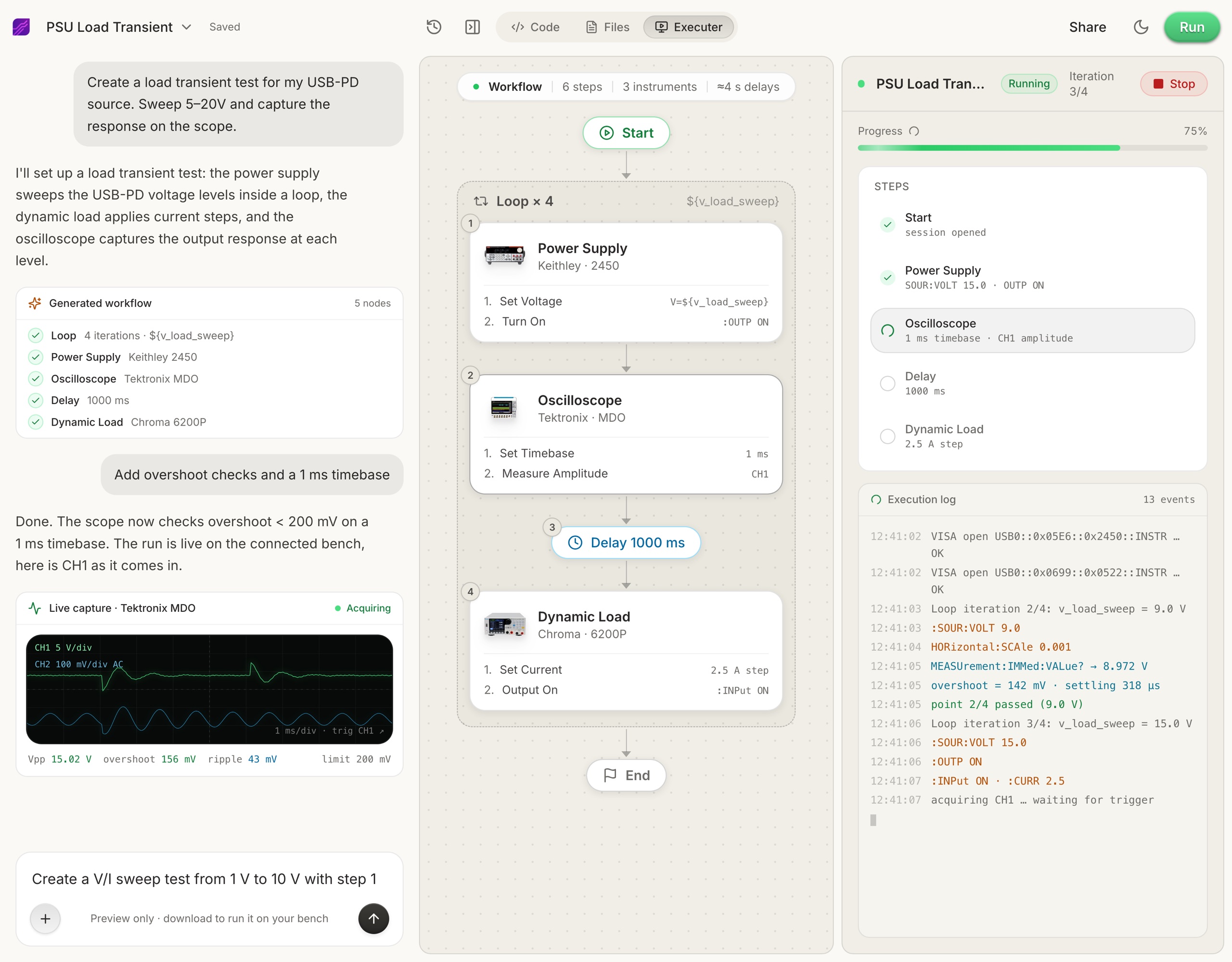
Connect your instruments. Pick the manufacturer and model, paste the VISA address (USB, LAN, GPIB, or serial), and the agent knows what is on your bench. No bench yet? Use a placeholder address, build the full automation, and swap in the real address when you are in the lab.
- 2
Tell the agent what to test. For example, "run a VI sweep from 1 to 10 V in 1 V steps at 0.5 A load current," or "suggest the tests for a power-management device."
- 3
The agent builds the complete workflow in seconds. Instrument-aware automation appears on the canvas, with the generated scripts visible in a code panel you can inspect and edit.
- 4
Run it in your lab. Click Run in the TestFlow desktop app for Windows and the status panel streams results step by step, with measured values inline (VOUT = 3.301 V, asserted 3.2 to 3.4 V, PASS). One click exports a structured PDF report, or the raw results as CSV.
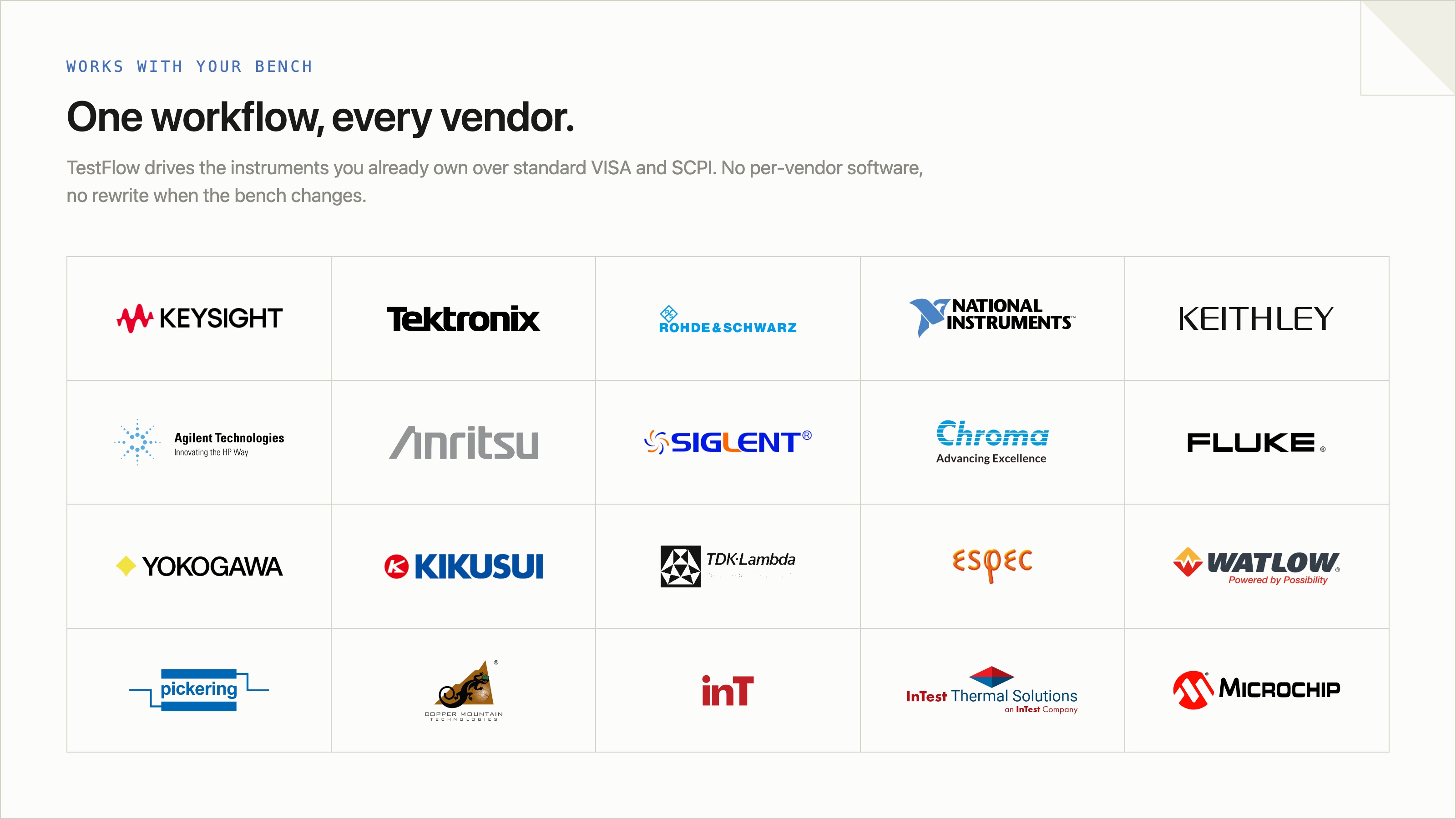
- Vendor-neutral by design. One workflow drives Keysight, Tektronix, Rohde & Schwarz, Rigol, Keithley, Anritsu, and any other SCPI instrument over standard VISA.
- Built in the browser, run on the bench. Workflows live in your workspace, so a sequence built in one lab runs the same way in another. Bench runs use the Windows desktop app.
- Free version to start. Sign in at app.testflowinc.com and build your first workflow today; teams can book a demo to scope a Bench Pilot.
The step-by-step walkthrough, VISA address formats, and Test Planner prompts are all in the TestFlow product guide.
Frequently asked questions
What is the latest version of NI-VISA?
As of November 2026, NI's download page lists NI-VISA 2026 Q4, released October 15, 2026, for Windows, macOS, and Linux, in 32-bit and 64-bit. NI ships a new NI-VISA roughly every quarter, and the page notes that you should install programming environments such as LabVIEW or Visual Studio before NI-VISA.
Is NI-VISA free?
NI lists NI-VISA (part number 777300-00) among products whose deployment license is the same as the development license, and its 'Included in Hardware' column reads 'NI Software or Hardware'. In practice that means it is covered when it runs alongside NI software or NI hardware. For any other machine, read the license agreement or ask NI before you deploy.
Can I use PyVISA without NI-VISA?
Yes. Install pyvisa-py with pip and open the resource manager with ResourceManager('@py'). TCPIP needs no extra libraries, serial needs PySerial, and USB needs PyUSB plus a libusb backend. GPIB is the exception: pyvisa-py still needs a GPIB driver underneath, which on Windows comes with NI-VISA or Keysight VISA.
Can NI-VISA and Keysight VISA be installed on the same PC?
Yes. On 32-bit VISA only one library can own visa32.dll, and NI-VISA cannot install in a secondary role, so Keysight VISA installs as secondary when NI-VISA is present. On 64-bit, the IVI VISA Conflict Manager from the IVI VISA Shared Components arbitrates between installed VISA libraries.
Do I need NI-VISA for NI GPIB hardware?
Not strictly. Keysight's documentation notes that NI GPIB hardware can run on NI-488.2 alone, which avoids a side-by-side VISA install. If NI software must see Keysight GPIB hardware, enable the NI-VISA Passport for Tulip in NI MAX, which is off by default.
Does TestFlow need NI-VISA?
No. The TestFlow desktop app reaches instruments through the VISA layer on the Windows PC, and its troubleshooting guide says to install your instrument vendor's I/O libraries when nothing appears on the bus. Keysight, Rohde & Schwarz, Tektronix, or NI VISA all work as that layer.
Automate every instrument in the lab,
Create test workflows in minutes
- 01Describe the testIn a sentence, the way you would tell a colleague.
- 02The agent builds itWorkflow and script for your instruments, any vendor.
- 03Run it, get the reportOn your bench, with the measured values.
Tags

Article by
Ali Kamaly
Ali Kamaly is the Co-Founder and CEO of TestFlow, an AI-native platform for electronics test automation. He writes about test automation, lab validation, and the infrastructure behind modern hardware engineering.
- NI DIAdem Alternatives in 2026 (Free & Python-Based Options)DIAdem is a report and analysis tool that costs four figures a seat. Here is what it does, which alternatives read TDMS files, and how to move your report templates without losing history.
- NI FlexLogger Alternatives in 2026 (Free & No-Code Options)FlexLogger is NI's no-code data logging subscription. Here is what it does well, where the NI-hardware assumption bites, and the five alternatives that cover mixed-vendor benches.
- NI SignalExpress Alternatives in 2026 (It Is Discontinued)SignalExpress was the no-code way to log data without writing LabVIEW. NI stopped developing it. Here is what fills the gap, what each option costs, and how to move your existing steps.
- NI Software Licensing Costs 2026 (LabVIEW, TestStand, VeriStand)A per-product breakdown of NI software licensing, the deployment licences that multiply quietly, and a worked example of what a four-station test lab actually pays per year.
- NI TestStand Alternatives 2026: Free, Open-Source & AI OptionsThe best NI TestStand alternatives in 2026: OpenTAP, pytest, Robot Framework, and AI-native TestFlow. Plus what TestStand does, how it works with LabVIEW, and what it costs.
Your next test, automated today
Describe the test. TestFlow builds the workflow, runs it on your instruments, and writes the report. See it on a bench like yours.