PyVISA vs NI-VISA in 2026: Not Competitors (Which One You Need)
PyVISA and NI-VISA sit at different layers of the same stack. What each one is, how PyVISA picks a backend, when pyvisa-py lets you skip NI-VISA, and the three errors that come from mixing up the layers. Checked against the PyVISA docs and PyPI in November 2026.
PyVISA and NI-VISA are not alternatives to each other: PyVISA is a Python package that gives you a Pythonic API for instruments, and NI-VISA is NI's implementation of the VISA standard, the shared library that actually drives GPIB, USB, LAN, and serial hardware. PyVISA sits on top of a VISA library. By default it calls whichever IVI VISA library is installed, which can be NI-VISA, Keysight VISA, R&S VISA, or TekVISA, and if none is installed it falls back to pyvisa-py, a pure-Python backend. So the real question is never "PyVISA or NI-VISA", it is "which VISA library goes under PyVISA, if any".
This guide is for engineers who just ran pip install pyvisa, hit an error about a missing VISA library, and want to know what to install. It covers what each layer is, how PyVISA chooses a backend, when NI-VISA is still the right library underneath, when pyvisa-py lets you skip it, and the errors that come from mixing up the layers. Every version and behavior below was checked against the PyVISA documentation, PyPI, and NI's download page on November 25, 2026. For the wider stack, start at the Python instrument control hub.
The stack, from your script to the instrument
| Layer | Example | What it does |
|---|---|---|
| Your test code | rail_check.py | Sends SCPI such as MEAS:VOLT:DC? and checks the answer |
| Python API (frontend) | PyVISA 1.16.2 | ResourceManager, open_resource, query, write |
| VISA library (backend) | NI-VISA, Keysight VISA, R&S VISA, TekVISA, or pyvisa-py | Implements VISA sessions, resource names, timeouts, and attributes |
| Bus driver | NI-488.2, USBTMC or WinUSB driver, the OS TCP/IP stack | Moves bytes on GPIB, USB, LAN, or serial |
| Instrument | Keysight 34465A, Rigol DS1054Z | Parses SCPI and returns data |
PyVISA lives on the second row. NI-VISA lives on the third. pyvisa-py also lives on the third row, which is the source of most of the confusion: it is a VISA implementation written in Python, and PyVISA treats it as one more backend. The bus choices on the fourth row are compared in GPIB vs USB vs LAN instrument control, and the VISA and SCPI basics are in VISA and SCPI instrument control.
PyVISA vs NI-VISA side by side
| PyVISA | NI-VISA | |
|---|---|---|
| What it is | Python frontend to VISA | NI's VISA library (shared library plus utilities) |
| Maker | Independent open-source project; its FAQ says it is not endorsed by NI | NI |
| Latest version | 1.16.2 on PyPI, February 27, 2026 | 2026 Q4 on NI's download page |
| License | MIT | NI software license; covered when the PC runs NI software or hardware |
| Install | pip install pyvisa | NI installer, NI account login required |
| Languages | Python 3.10 or newer | C, plus .NET, LabVIEW, and others through bindings |
| Platforms | Windows, Linux, macOS | Windows, macOS, Linux |
| Talks to hardware by itself | No, needs a backend | Yes |
| Tools | pyvisa-shell, pyvisa-info | NI I/O Trace, VISA Interactive Control, NI MAX |
PyVISA's documentation puts it in one line: PyVISA is both a Python wrapper for VISA shared libraries and a frontend for other VISA implementations such as PyVISA-Py. Its architecture page explains the history: PyVISA started as a ctypes wrapper around NI-VISA, and since version 1.6 it has been a frontend that connects to multiple backends.
How PyVISA picks a backend
PyVISA's backend configuration guide gives the rule:
- 1
No backend specified: PyVISA uses the IVI backend if any IVI VISA library is installed (NI-VISA, Keysight VISA, R&S VISA, TekVISA, and so on).
- 2
No IVI library found: it falls back to the pyvisa-py backend, if pyvisa-py is installed.
- 3
You can force the choice with an argument to
ResourceManager, thePYVISA_LIBRARYenvironment variable, or a.pyvisarcfile in your home directory.
Backends are named after an @. PyVISA imports a package called pyvisa_<name>, so @ivi is the bundled default, @py loads pyvisa-py, and @sim loads pyvisa-sim, the simulated backend.
import pyvisa

rm_default = pyvisa.ResourceManager()          # IVI library if installed, else pyvisa-py
rm_ivi     = pyvisa.ResourceManager("@ivi")    # NI-VISA, Keysight VISA, R&S VISA, TekVISA
rm_py      = pyvisa.ResourceManager("@py")     # pure Python, no vendor library
rm_path    = pyvisa.ResourceManager("C:/Windows/System32/visa64.dll")  # one specific library

dmm = rm_py.open_resource("TCPIP0::192.168.1.50::inst0::INSTR")
dmm.timeout = 5000
print(dmm.query("*IDN?"))
dmm.close()
Run pyvisa-info from a terminal to print the Python bitness, the installed backends, and every VISA library PyVISA found. On a shared bench, pin the backend explicitly. Otherwise the answer depends on whichever installer ran last.
What NI-VISA gives you that pyvisa-py does not
NI's NI-VISA download page lists 2026 Q4 as the current version for Windows, macOS, and Linux, as a Full Runtime edition, and advises installing LabVIEW or Visual Studio before NI-VISA. Four things keep it on many benches:
- 1
A complete implementation. pyvisa-py's own FAQ says it implements the attributes and methods most commonly needed, not all of them, and its resource list stops at TCPIP, GPIB, serial, and USB. If you need anything outside that list, you need a vendor library.
- 2
Debugging tools. NI I/O Trace logs every VISA call your program makes, and VISA Interactive Control opens a session with tabs for reads, writes, and attributes. pyvisa-py's closest equivalents are
pyvisa-shellandpyvisa.log_to_screen(). - 3
NI hardware and NI software. NI GPIB, PXI, and serial hardware ship with NI drivers, and LabVIEW and TestStand expect NI-VISA. NI's deployment license table covers NI-VISA on a PC that runs NI software or hardware.
- 4
Other languages on the same PC. If a LabVIEW VI, a C# operator interface, and a Python script all share the bench, one IVI VISA library serves all three. NI's .NET library implements the IVI Foundation's VISA.NET interfaces.
If none of those apply, other vendors' libraries work just as well under PyVISA. The options and the coexistence rules for two VISA libraries on one PC are covered in NI-VISA alternatives, and Keysight's suite gets its own guide in Keysight IO Libraries.
When pyvisa-py is enough on its own
pyvisa-py 0.8.1 (MIT, published September 4, 2025) supports TCPIP INSTR, TCPIP SOCKET, GPIB INSTR, ASRL INSTR, USB INSTR, and USB RAW resources. Its installation guide lists what each interface needs:
| Interface | Extra install | Notes |
|---|---|---|
| LAN (VXI-11, raw socket) | None | psutil for VXI-11 discovery on all network interfaces |
| LAN (HiSLIP, VICP discovery) | zeroconf | VICP itself needs pyvicp |
| Serial | PySerial 3.0 or newer | No configuration |
| USB | PyUSB plus a libusb backend | On Windows, you may need to swap the USBTMC driver for WinUSB with Zadig |
| GPIB | A GPIB driver | On Windows it comes with NI-VISA or Keysight VISA; on Linux, linux-gpib |
That table is the decision. A Linux test PC, a Raspberry Pi, a CI runner, or a Docker container driving LAN instruments needs nothing but pip install pyvisa pyvisa-py. A Windows bench full of USB instruments is usually simpler with a vendor VISA, because swapping drivers with Zadig breaks the vendor's own tools for that instrument. GPIB always needs a vendor driver.
The FAQ adds two operational cautions. pyvisa-py in a virtual machine can time out because the VM does not pass USB responses reliably. In Docker on Windows, USB and GPIB cannot be forwarded, so use LAN and enable TCP keepalive with the tcpip_keepalive attribute.
The three errors that come from mixing up the layers
These are documented in PyVISA's FAQ, and each one is a backend problem rather than a code problem.
- 1
"Could not find VISA library." The IVI backend found no VISA shared library. Install one, pass its path to
ResourceManager(), add a.pyvisarcfile, or useResourceManager("@py"). - 2
"No matching architecture." PyVISA's installation page warns that it cannot open a 32-bit VISA library from 64-bit Python, or the reverse. Match the Python bitness to the VISA bitness.
pyvisa-infoshows both. - 3
"Image not found." The path you gave PyVISA for the VISA library is wrong. Check the path in the constructor or in
.pyvisarc.
A fourth problem is not an error message: two scripts, or a script and a vendor tool, opening the same instrument at once. Unless a program takes a VISA lock, nothing stops the two streams of SCPI from interleaving. Close vendor soft front panels before a script runs.
PyVISA code vs NI-VISA C code
For engineers coming from C or LabVIEW, this is what PyVISA saves you. The same *IDN? query against the VISA C API, as NI-VISA or any IVI VISA library exposes it:
#include <visa.h>
#include <stdio.h>

int main(void) {
    ViSession rm, inst;
    ViUInt32 n;
    ViChar buf[256];

    viOpenDefaultRM(&rm);
    viOpen(rm, "TCPIP0::192.168.1.50::inst0::INSTR", VI_NULL, VI_NULL, &inst);
    viSetAttribute(inst, VI_ATTR_TMO_VALUE, 5000);
    viWrite(inst, (ViBuf)"*IDN?\n", 6, &n);
    viRead(inst, (ViBuf)buf, sizeof(buf) - 1, &n);
    buf[n] = '\0';
    printf("%s", buf);
    viClose(inst);
    viClose(rm);
    return 0;
}
In PyVISA that is rm.open_resource(...), inst.timeout = 5000, and inst.query("*IDN?"). PyVISA also exposes the same calls underneath: its architecture page documents a low-level layer of vi-prefixed functions on rm.visalib, and a middle layer of Pythonic names such as map_address, for the rare case where the high-level resource classes do not cover what you need. The PyVISA tutorial walks through the high-level API, and the SCPI command cheat sheet lists the commands.
A short decision guide
- •LabVIEW, TestStand, or NI hardware on the PC: NI-VISA under PyVISA. You probably have it already.
- •Mixed-vendor Windows bench, no NI software: Keysight VISA or R&S VISA under PyVISA.
- •Linux, Raspberry Pi, CI, or Docker with LAN instruments: pyvisa-py alone.
- •Unit tests for driver code with no hardware: pyvisa-sim through
@sim. - •GPIB anywhere: a vendor GPIB driver, whichever backend you choose.
If you are deciding which Python layer to write on top of PyVISA, Python instrument control libraries compared covers PyMeasure, InstrumentKit, QCoDeS, and vendor drivers. If you are leaving NI's configuration tool behind as well, read NI MAX alternatives, and if the whole NI stack is in question, LabVIEW vs Python.
Where TestFlow fits above PyVISA and NI-VISA
PyVISA and NI-VISA decide how bytes reach the instrument. Neither writes the test. TestFlow is an AI agent for electronics testing: you describe the test, the agent builds the automation, drives the instruments over VISA and SCPI from any vendor, and writes the report from the measured results.
- •It uses the VISA you have. The Windows desktop app reaches instruments through the VISA library on the PC, so NI-VISA, Keysight VISA, or R&S VISA all work. The desktop guide covers setup.
- •It writes the code you would have written. A workflow exports as a standalone Python package with one entry point that runs without TestFlow.
- •It adds instruments from the manual. Most SCPI instruments missing from the supported instruments catalog can be added from the vendor's programming manual.
The limits: bench runs are Windows-only, DAQ coverage is narrow (the NI USB-6001, USB-6501, and PCI-6515 through NI-DAQmx), and TestFlow is not a full test executive, with no operator and user management and no database connectivity. The line-by-line trade-off against a hand-written PyVISA script is in TestFlow vs Python and PyVISA. There is a free version to start on the pricing page.
Related reading
- •NI-VISA alternatives, every VISA library and how two coexist
- •PyVISA tutorial, the high-level API end to end
- •Free instrument control software, the zero-license stack
- •NI-DAQmx Python without LabVIEW, for DAQ cards, which VISA does not cover
- •NI software alternatives hub, the rest of the NI catalog
Where TestFlow fits
TestFlow sits above both layers in this article. It uses the VISA library you already installed to reach the instruments, and builds the test that would otherwise be hand-written PyVISA code.
- 1
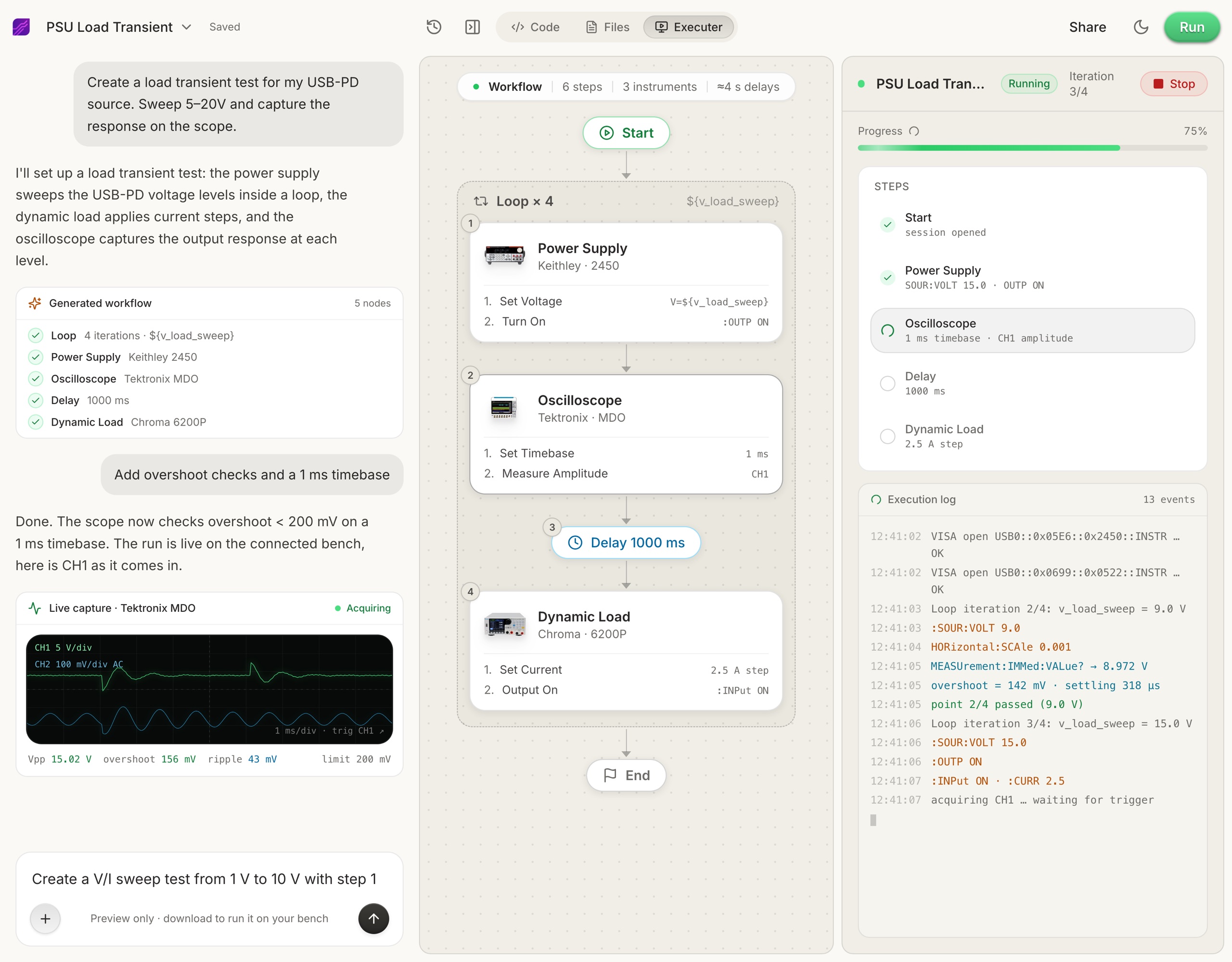
Connect your instruments. Pick the manufacturer and model, paste the VISA address (USB, LAN, GPIB, or serial), and the agent knows what is on your bench. No bench yet? Use a placeholder address, build the full automation, and swap in the real address when you are in the lab.
- 2
Tell the agent what to test. For example, "run a VI sweep from 1 to 10 V in 1 V steps at 0.5 A load current," or "suggest the tests for a power-management device."
- 3
The agent builds the complete workflow in seconds. Instrument-aware automation appears on the canvas, with the generated scripts visible in a code panel you can inspect and edit.
- 4
Run it in your lab. Click Run in the TestFlow desktop app for Windows and the status panel streams results step by step, with measured values inline (VOUT = 3.301 V, asserted 3.2 to 3.4 V, PASS). One click exports a structured PDF report, or the raw results as CSV.
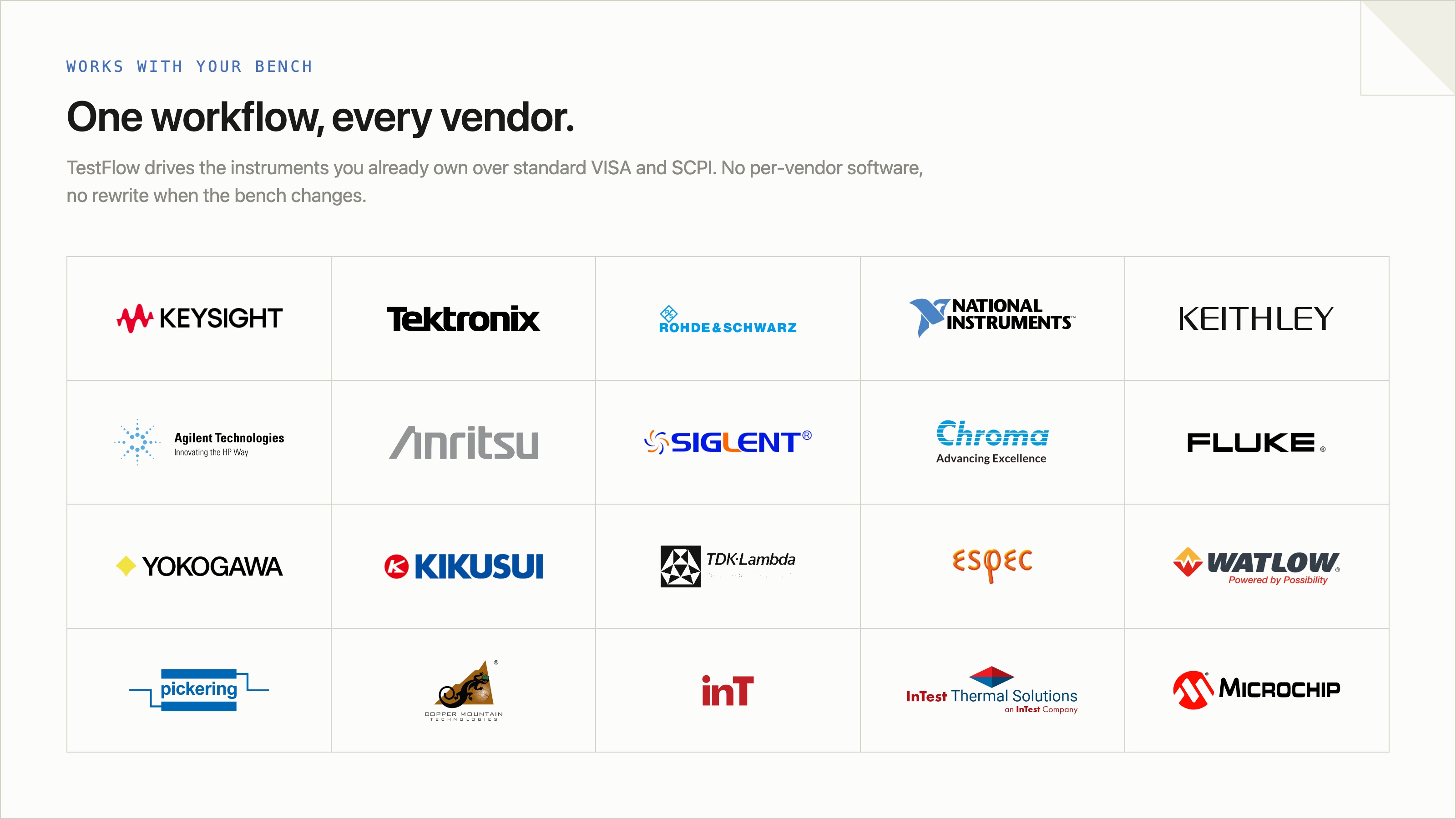
- Vendor-neutral by design. One workflow drives Keysight, Tektronix, Rohde & Schwarz, Rigol, Keithley, Anritsu, and any other SCPI instrument over standard VISA.
- Built in the browser, run on the bench. Workflows live in your workspace, so a sequence built in one lab runs the same way in another. Bench runs use the Windows desktop app.
- Free version to start. Sign in at app.testflowinc.com and build your first workflow today; teams can book a demo to scope a Bench Pilot.
The step-by-step walkthrough, VISA address formats, and Test Planner prompts are all in the TestFlow product guide.
Frequently asked questions
What is the difference between PyVISA and NI-VISA?
PyVISA is an MIT-licensed Python package that gives you a Pythonic API for instruments. NI-VISA is NI's implementation of the VISA standard, the shared library that actually talks to GPIB, USB, LAN, and serial hardware. PyVISA is a frontend: by default it calls whatever IVI VISA library is installed, such as NI-VISA or Keysight VISA, or it can use the pure-Python pyvisa-py backend instead.
Do I need NI-VISA to use PyVISA?
No. PyVISA's default IVI backend needs some VISA library, and NI-VISA, Keysight VISA, R&S VISA, and TekVISA all qualify. If none is installed, PyVISA falls back to pyvisa-py, which handles LAN with no extra libraries, serial with PySerial, and USB with PyUSB and libusb. GPIB still needs a GPIB driver underneath.
Is PyVISA made by NI?
No. PyVISA's FAQ states that it is developed independently of National Instruments. It was originally written by Torsten Bronger and Gregor Thalhammer and is currently maintained by Matthieu Dartiailh. Version 1.16.2 was published to PyPI on February 27, 2026.
Why does PyVISA say it could not find the VISA library?
Because the default IVI backend found no VISA shared library on the system, or found one in an unexpected place. Install a VISA library, point PyVISA at it with a path in ResourceManager() or a .pyvisarc file, or switch to the pure-Python backend with ResourceManager('@py'). Run pyvisa-info to see what PyVISA found.
Is pyvisa-py as good as NI-VISA?
For message-based SCPI instruments over LAN, USB, and serial, it covers most work. Its own FAQ says it implements the attributes and methods most commonly needed, not all of them. NI-VISA is a complete vendor implementation that ships NI I/O Trace and VISA Interactive Control, and it is the library NI hardware and NI software expect.
Does TestFlow need NI-VISA or PyVISA?
TestFlow's desktop app reaches instruments through the VISA layer on the Windows PC, so any vendor VISA works, including NI-VISA, Keysight VISA, or R&S VISA. It also exports a workflow as a standalone Python package, so the code you keep runs on the same Python and VISA stack described here.
Automate every instrument in the lab,
Create test workflows in minutes
- 01Describe the testIn a sentence, the way you would tell a colleague.
- 02The agent builds itWorkflow and script for your instruments, any vendor.
- 03Run it, get the reportOn your bench, with the measured values.
Tags

Article by
Ali Kamaly
Ali Kamaly is the Co-Founder and CEO of TestFlow, an AI-native platform for electronics test automation. He writes about test automation, lab validation, and the infrastructure behind modern hardware engineering.
- Function Generator Specifications: What to Test and How to Automate ItFunction generator specifications explained, which specs to validate, and how to automate the test with TestFlow straight from the datasheet.
- Multimeter Software for Logging and Automation (34461A / 34465A)The best multimeter software for logging and automation on the Keysight 34461A and 34465A, plus how TestFlow scripts measurements without code.
- How to Read a Digital Multimeter Datasheet (and Build a Validation Plan From It)How to read a digital multimeter datasheet: accuracy, resolution, and ranges explained, then auto-generate a validation plan from it with TestFlow.
- Instrument Control Explained: VISA, SCPI, and GPIBHow lab instrument control works: NI-VISA, SCPI commands, GPIB, USB, and LXI. A clear guide for test engineers, with Python examples and alternatives.
- NI TestStand Alternatives 2026: Free, Open-Source & AI OptionsThe best NI TestStand alternatives in 2026: OpenTAP, pytest, Robot Framework, and AI-native TestFlow. Plus what TestStand does, how it works with LabVIEW, and what it costs.
Your next test, automated today
Describe the test. TestFlow builds the workflow, runs it on your instruments, and writes the report. See it on a bench like yours.