OpenTAP vs OpenHTF in 2026: Two Free Test Frameworks (C# vs Python)
OpenTAP and OpenHTF are both free, open-source test frameworks, and they solve the problem from opposite ends. A .NET sequencer with test plans, a package manager, and result listeners, against a Python library built around phases and measurements. Checked against both repositories in November 2026.
OpenTAP and OpenHTF are both free, open-source test frameworks, but they come at the problem from opposite ends: OpenTAP is a .NET test sequencer from Keysight, MPL-2.0 licensed, where steps, instruments, DUTs, and result listeners are C# plugins assembled into test plans, while OpenHTF is an Apache-2.0 Python library, hosted under Google's GitHub organization, where a test is a Python program made of phases with declared measurements. Pick OpenTAP if your team writes C#, works in Keysight's ecosystem, or wants a package manager and swappable result listeners. Pick OpenHTF if your team writes Python and wants every measurement stored with its limits and units. Both cost $0 per seat and $0 per station.
This comparison is for test engineers and test leads choosing an open-source framework, usually to replace NI TestStand or a home-grown LabVIEW sequencer. Every version, license, and feature below was checked against the project's own repository on November 25, 2026. For the commercial incumbent, see OpenTAP vs TestStand, and for the Python field as a whole, Python hardware test frameworks.
OpenTAP vs OpenHTF at a glance
| OpenTAP | OpenHTF | |
|---|---|---|
| Repository | opentap/opentap | google/openhtf |
| Copyright and sponsor | Keysight Technologies, 2012 to 2026 | Hosted by Google; README says it is not an official Google product |
| License | MPL-2.0 | Apache-2.0 |
| Latest version | Tag v9.35.3, November 6, 2026 | 1.6.3 on PyPI, October 8, 2026 |
| Language | C#, on the .NET 9 SDK | Python 3.10 or newer |
| Python support | OpenTap.Python plugin (Apache-2.0, tag v3.2.2) | Native |
| Test structure | Test plan of steps, with child steps | Test of phases, with groups and branches |
| Hardware abstraction | Instrument and DUT plugins, ScpiInstrument base class | Plugs |
| Verdicts | NotSet, Pass, Inconclusive, Fail, Aborted, Error | PASS, FAIL, ERROR, TIMEOUT, ABORTED |
| Results | Result listeners: CSV, Log, SQLite, PostgreSQL, Notifier, custom | Output callbacks: JSON, console, MfgInspector, custom |
| Runs from | tap run CLI, or Keysight's Developer's System GUI | python my_test.py |
| Operator UI | None in the core | Station server and web GUI, DUT ID prompt |
| Plugin distribution | Built-in package manager (tap package install) | pip |
| GitHub stars (Nov 25, 2026) | 262 | 732 |
OpenTAP in one section
The OpenTAP README describes it as an open-source project for fast and easy development and execution of automated tests, built on an extendable .NET architecture. The repository contains the engine (OpenTap.dll), the package manager, the tap command line, and a set of basic test steps. The developer guide recommends the .NET 9 SDK with Visual Studio, Rider, or VS Code, on Windows 11, Ubuntu newer than 22.04, or macOS.
Four things define how you work in it:
- 1
Test steps are C# classes. You extend
TestStep, expose settings as properties, and implementRun().PrePlanRun()andPostPlanRun()handle one-time setup and cleanup, andPostPlanRun()is always called ifPrePlanRun()was, even after an error or abort. - 2
Instruments and DUTs are resources. An instrument plugin can extend
ScpiInstrument, which providesScpiCommandand a typedScpiQuery<T>. - 3
Results go to listeners. The result listener guide lists predefined listeners for CSV, log files, SQLite, and PostgreSQL, plus a Notifier that runs a program or plays a sound on the verdict. Listener methods run on a separate thread, not in lockstep with the plan, to keep throughput up.
- 4
Plans run from the CLI.
tap run MyTestPlan.TapPlan --results SQLite,CSVpicks the listeners,-esets an external parameter such as a limit,--metadata dut-id=5sets resource metadata, and--non-interactivesuits CI.
A complete OpenTAP step for the same 3.3 V rail check used throughout this site, written against the TestStep and ScpiInstrument APIs in the repository:
using System.Collections.Generic;
using OpenTap;

[Display("Rail 3V3", Group: "Power", Description: "Measure the 3.3 V rail with a SCPI DMM")]
public class Rail3V3Step : TestStep
{
    public ScpiInstrument Dmm { get; set; }

    [Unit("V")] public double LowLimit { get; set; } = 3.20;
    [Unit("V")] public double HighLimit { get; set; } = 3.40;

    public override void Run()
    {
        double volts = Dmm.ScpiQuery<double>("MEAS:VOLT:DC? 10");
        Results.Publish("Rail 3V3", new List<string> { "Volts" }, volts);
        UpgradeVerdict(volts >= LowLimit && volts <= HighLimit ? Verdict.Pass : Verdict.Fail);
    }
}
Compile it, drop the DLL where OpenTAP finds plugins, and the step appears in the plan editor with LowLimit and HighLimit as editable settings in volts.
OpenHTF in one section
The OpenHTF README describes a Python library that removes boilerplate from hardware test setup and execution, useful from the lab bench to the manufacturing floor. A test is a normal .py file that instantiates Test with phases and calls execute().
- 1
Phases are Python callables. A phase can return
PhaseResult.REPEAT,SKIP,STOP, orFAIL_AND_CONTINUEto steer the run, and phase options includetimeout_sandrepeat_limit. - 2
Measurements carry the spec. Validators such as
in_rangeand units such asunits.VOLTare declared on the measurement, and any measurement out of spec fails the run. - 3
Plugs wrap hardware. OpenHTF ships
user_input,usb,cambrionix,device_wrapping, andgeneric. Bench instrument plugs are yours to write, usually around PyVISA. - 4
Output callbacks write the record.
json_factory,console_summary, andmfg_inspectorship in the repository.
The same rail check in OpenHTF:
import pyvisa
import openhtf as htf


class Dmm(htf.BasePlug):
    def __init__(self):
        self._inst = pyvisa.ResourceManager().open_resource("TCPIP0::192.168.1.50::inst0::INSTR")

    def dc_volts(self) -> float:
        return float(self._inst.query("MEAS:VOLT:DC? 10"))

    def tearDown(self):
        self._inst.close()


@htf.plug(dmm=Dmm)
@htf.measures(htf.Measurement("rail_3v3").in_range(3.20, 3.40).with_units(htf.units.VOLT))
def measure_rail(test, dmm):
    test.measurements.rail_3v3 = dmm.dc_volts()


if __name__ == "__main__":
    htf.Test(measure_rail).execute(test_start=lambda: "DUT-0001")
Notice where the limits live. In OpenTAP they are step settings an operator or a plan file can change without recompiling. In OpenHTF they are part of the measurement declaration in code, and they travel into every test record.
Licensing: MPL-2.0 vs Apache-2.0
Both licenses allow commercial use at no cost. The difference matters the day you ship a tester to a customer with the framework inside it.
- •OpenTAP, MPL-2.0. File-level copyleft. If you modify OpenTAP's own source files and distribute the result, those modified files must be made available under MPL-2.0. Your plugins live in your own files and assemblies, so they can stay proprietary. Keysight's Developer's System, the GUI the README recommends, is a separate product with community and enterprise licensed versions.
- •OpenHTF, Apache-2.0. Permissive, with an explicit patent grant. Modify it, ship it, and keep your changes private, as long as you keep the notices.
If you resell test stations, have counsel read the MPL-2.0 obligations once. For an internal production line, neither license changes anything. The test sequencer comparison puts both next to TestStand's per-station licenses, and NI software licensing costs shows what the free options avoid.
Results, data, and operator interface
Results. OpenTAP has the more complete story out of the box. Listeners for SQLite and PostgreSQL exist in its documentation, the database schema is described in the guide, and the CLI chooses listeners per run. OpenHTF produces a richer record per run, because every measurement carries its validator and unit, but getting it into a database means writing an output callback. If cross-station yield questions matter, both pair with a data platform; TofuPilot's import documentation lists OpenHTF as a supported format.
Operator interface. OpenHTF is ahead here. It prompts for a DUT ID, its station server and web GUI show running tests, and stations are tracked by test name. OpenTAP's core is a command line and an engineer's editor. Building a technician-facing panel on OpenTAP is your project, which is the most common surprise in OpenTAP evaluations.
Reports. Neither framework writes a formatted customer report by default. The fields a signed report has to carry are listed in automated test report generation.
Ecosystem and activity
OpenTAP's plugin model is its strength: packages are versioned and installed with tap package install, and Keysight's own commercial tools, covered in Keysight PathWave alternatives, are built on the same engine. The GitHub repository has 262 stars, and the last push was November 24, 2026.
OpenHTF has 732 stars and the larger Python ecosystem around it. Any PyPI package is one import away, which matters more than the bundled plug count. Its last push was also November 24, 2026, and the latest release on PyPI is 1.6.3 from October 8, 2026.
Both are active. Neither is large, so plan to read source code when the documentation runs out.
Migrating to either one from NI TestStand or LabVIEW
Most teams evaluating these two are leaving an NI stack, so the migration path decides as much as the feature table.
From TestStand. A TestStand sequence maps more directly onto OpenTAP. Both have a plan or sequence file of steps, steps with settings, child steps for structure, and a separate layer for results. TestStand's Numeric Limit Test step becomes an OpenTAP step with limit settings and a verdict, and TestStand's result processing becomes a result listener. Neither framework converts .seq files automatically; the TestStand sequence file format guide explains what is inside one before you start.
From LabVIEW. LabVIEW driver VIs map more naturally onto OpenHTF plugs if the team is moving to Python anyway, and the inventory step is in LabVIEW to Python migration. Teams that want a compiled, typed language and a plan file closer to TestStand's model may prefer C# and OpenTAP. The wider set of options is in LabVIEW alternatives and on the LabVIEW hub.
Either way, expect most of the first sequence's effort to go into instrument code rather than framework code, because neither framework ships drivers for your bench. That is the main reason teams look at tools that write the instrument layer for them.
How to choose between OpenTAP and OpenHTF
| If your situation is | Pick |
|---|---|
| Team writes C#, or already uses Keysight PathWave | OpenTAP |
| Team writes Python, coming from pytest or scripts | OpenHTF |
| Limits must be editable without a code change | OpenTAP step settings or external parameters |
| Every value must be stored with limits and units | OpenHTF |
| Results must land in SQLite or PostgreSQL this week | OpenTAP |
| Technicians run the station and need a DUT ID prompt | OpenHTF |
| Plugins shared across many teams as versioned packages | OpenTAP |
| Replacing a TestStand sequence one-for-one | OpenTAP, see OpenTAP vs TestStand |
Both leave two jobs to you: instrument drivers for anything beyond basic SCPI, and a full test executive layer with user privileges. If those are day-one requirements, compare the list in NI TestStand alternatives and the incumbent's numbers in TestStand pricing.
Where TestFlow fits next to OpenTAP and OpenHTF
Both frameworks answer how a test runs and where its data goes. Neither answers who writes the steps. TestFlow is an AI agent for electronics testing: you describe the test, the agent builds the automation, drives the instruments over VISA and SCPI from any vendor, and writes the report from the measured results.
- •Authoring. The agent builds the workflow and the instrument code for the models on your bench, listed on the supported instruments page, and you review it before it runs.
- •Sequences. Named, reusable sequences with declared parameters and version pinning, plus import of NI TestStand sequences with the sequences and calls preserved.
- •Code you keep. A workflow exports as a standalone Python package, so it can live beside OpenHTF plugs in the same repository, or be called from an OpenTAP plan through the Python plugin.
The limits, plainly: bench runs need the Windows desktop app. TestFlow is not a full test executive, with no operator and user management and no database connectivity. DAQ coverage is narrow: the NI USB-6001, USB-6501, and PCI-6515 through NI-DAQmx. There is a free version to start on the pricing page, and the AI test automation hub covers what agents change about test authoring.
Related reading
- •OpenTAP vs TestStand, the commercial comparison
- •Python hardware test frameworks, seven options ranked
- •Test sequencer comparison, TestStand, OpenTAP, pytest, and Robot Framework
- •TestStand hub, if you are leaving NI's executive
- •Hardware test automation hub, the full cluster
Where TestFlow fits
TestFlow works one layer above both frameworks. It turns a description of the measurement into a workflow, runs it on SCPI instruments, and exports Python you can keep next to either framework.
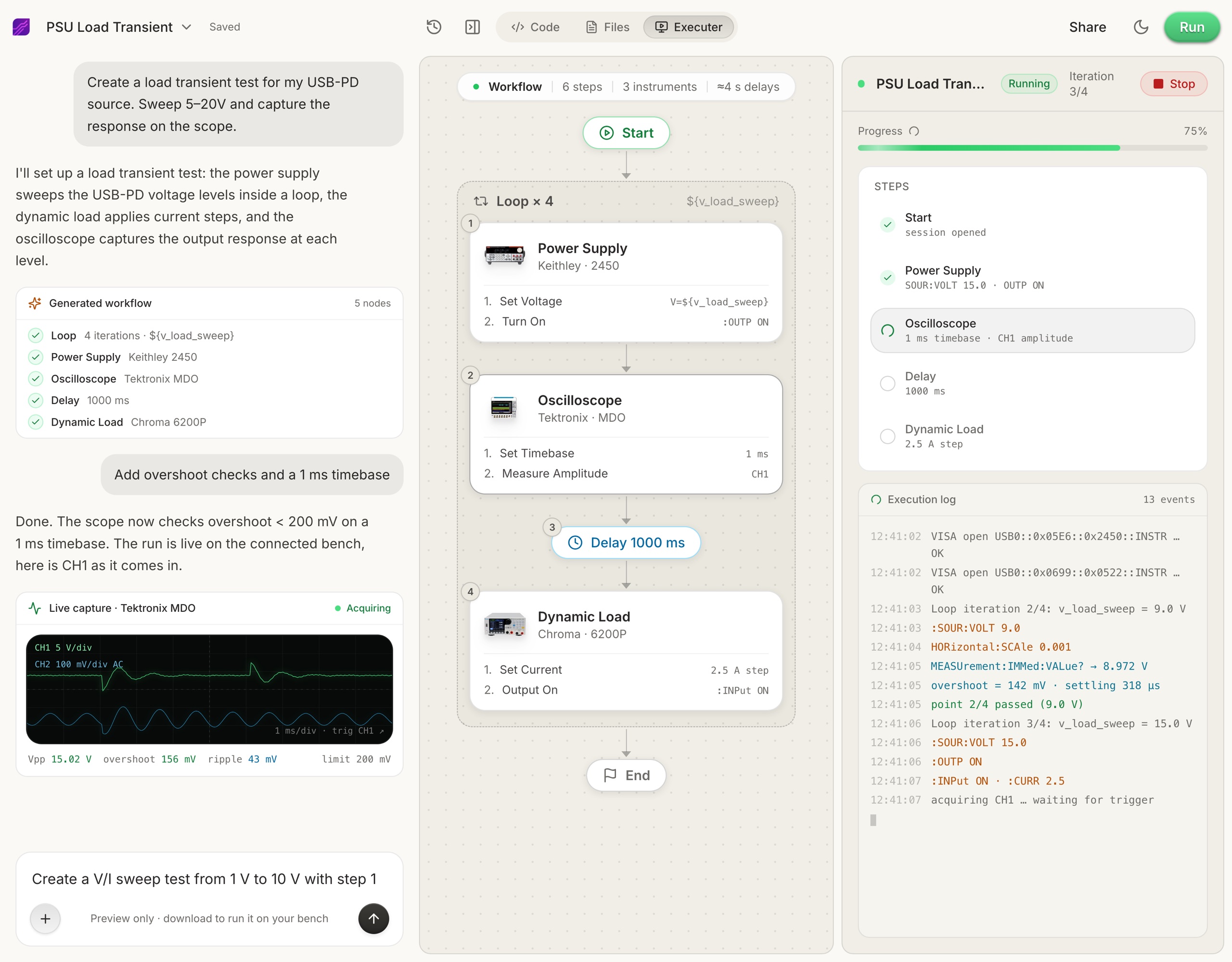
- 1
Connect your instruments. Pick the manufacturer and model, paste the VISA address (USB, LAN, GPIB, or serial), and the agent knows what is on your bench. No bench yet? Use a placeholder address, build the full automation, and swap in the real address when you are in the lab.
- 2
Tell the agent what to test. For example, "run a VI sweep from 1 to 10 V in 1 V steps at 0.5 A load current," or "suggest the tests for a power-management device."
- 3
The agent builds the complete workflow in seconds. Instrument-aware automation appears on the canvas, with the generated scripts visible in a code panel you can inspect and edit.
- 4
Run it in your lab. Click Run in the TestFlow desktop app for Windows and the status panel streams results step by step, with measured values inline (VOUT = 3.301 V, asserted 3.2 to 3.4 V, PASS). One click exports a structured PDF report, or the raw results as CSV.
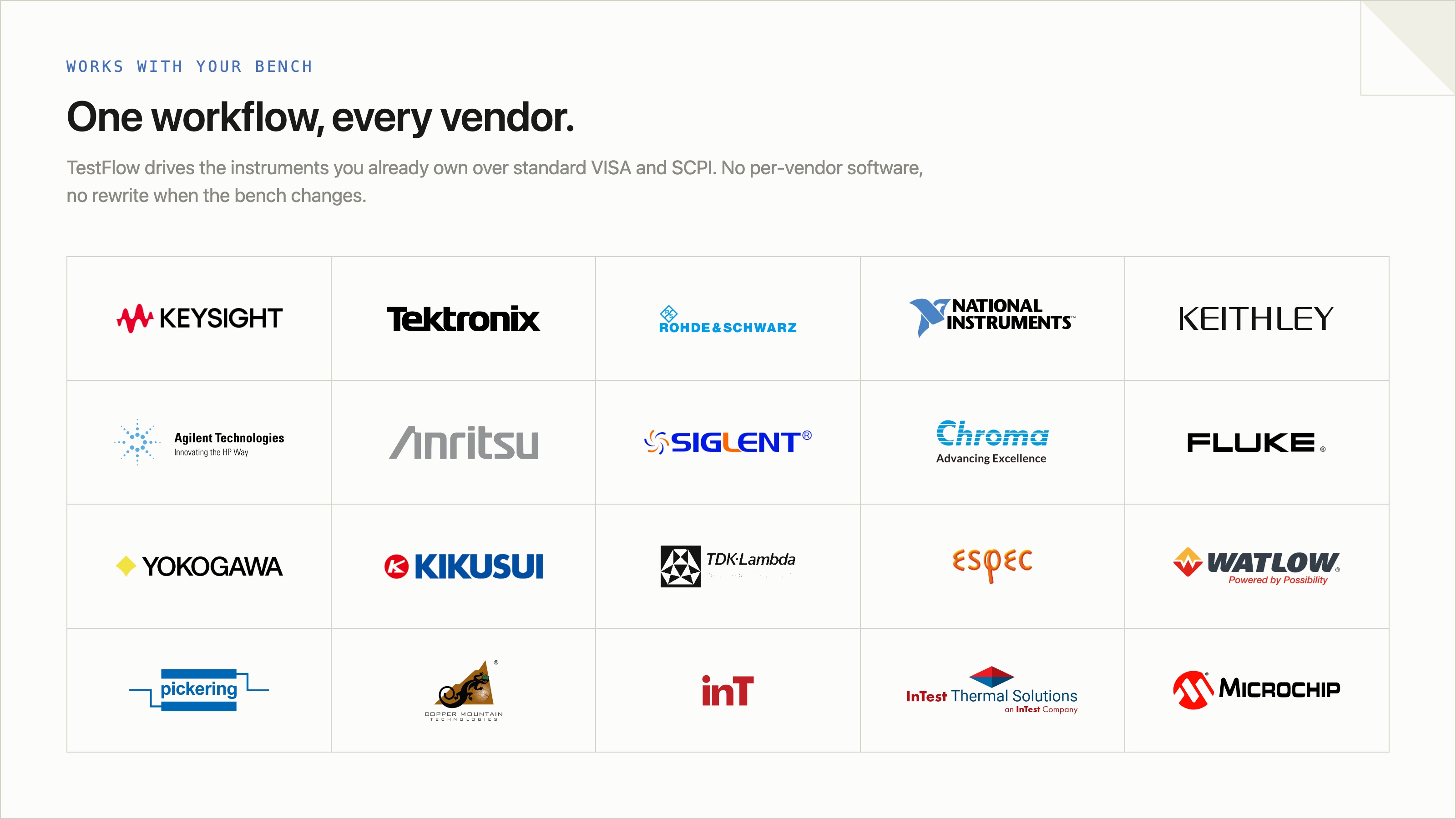
- Vendor-neutral by design. One workflow drives Keysight, Tektronix, Rohde & Schwarz, Rigol, Keithley, Anritsu, and any other SCPI instrument over standard VISA.
- Built in the browser, run on the bench. Workflows live in your workspace, so a sequence built in one lab runs the same way in another. Bench runs use the Windows desktop app.
- Free version to start. Sign in at app.testflowinc.com and build your first workflow today; teams can book a demo to scope a Bench Pilot.
The step-by-step walkthrough, VISA address formats, and Test Planner prompts are all in the TestFlow product guide.
Frequently asked questions
What is the difference between OpenTAP and OpenHTF?
OpenTAP is a .NET test sequencer, copyright Keysight and MPL-2.0 licensed, where test steps, instruments, DUTs, and result listeners are C# plugins and test plans are files run by the tap command line. OpenHTF is an Apache-2.0 Python library hosted under Google's GitHub organization, where a test is a Python program made of phases with declared measurements and plugs for hardware.
Is OpenTAP or OpenHTF free for commercial use?
Both are free. OpenTAP is under the Mozilla Public License 2.0, which is file-level copyleft: changes to OpenTAP's own files must be shared if you distribute them, while your separate plugin files can stay proprietary. OpenHTF is under Apache-2.0, a permissive license. Keysight's PathWave Test Automation Developer's System GUI for OpenTAP has community and enterprise licensed versions.
Can I write OpenTAP plugins in Python?
Yes. The OpenTap.Python plugin, Apache-2.0 licensed, lets you write test steps, instruments, DUTs, and result listeners in Python. The plugins still follow OpenTAP's .NET object model, so the code uses .NET types and attributes rather than plain Python functions.
Which has better results handling, OpenTAP or OpenHTF?
OpenTAP's developer guide lists predefined result listeners for CSV, log files, SQLite, and PostgreSQL, plus custom listeners, and results can be routed from the command line with tap run --results. OpenHTF writes a test record per run through output callbacks such as JSON, and you write a custom callback for a database.
Does OpenHTF or OpenTAP have an operator interface?
OpenHTF ships a station server and web GUI and an operator prompt for the DUT ID. OpenTAP's open-source core has a command line, and Keysight's Developer's System adds a graphical editor with result viewing. Neither ships a branded production operator panel, so production lines usually build one.
Where does TestFlow fit next to OpenTAP and OpenHTF?
TestFlow builds the test rather than running steps you wrote. It turns a description into a workflow, drives SCPI instruments through a Windows desktop app, writes the report from measured results, and exports a standalone Python package. It is not a full test executive, with no operator and user management or database connectivity, and its DAQ coverage is three NI devices.
Automate every instrument in the lab,
Create test workflows in minutes
- 01Describe the testIn a sentence, the way you would tell a colleague.
- 02The agent builds itWorkflow and script for your instruments, any vendor.
- 03Run it, get the reportOn your bench, with the measured values.
Tags

Article by
Ali Kamaly
Ali Kamaly is the Co-Founder and CEO of TestFlow, an AI-native platform for electronics test automation. He writes about test automation, lab validation, and the infrastructure behind modern hardware engineering.
- TofuPilot vs TestStand in 2026: Python Platform vs NI ExecutiveTofuPilot pairs an MIT-licensed Python test framework with a hosted platform for yield, traceability, and station deployment. NI TestStand is a Windows test executive that sequences code in any language. What each one do
- TestStand Sequence File (.seq) in 2026 (Read One Without a License)The anatomy of an NI TestStand sequence file, how to tell binary from XML, a tested Python script that lists every sequence and step in an XML .seq, NI's free diff route for binary files, and how to carry sequences into
- NI TestStand Pricing 2026: License Cost per Seat ($2,428/yr)Every NI TestStand license type with its US list price on ni.com as of November 2026, the subscription versus perpetual break-even, and a worked five-year cost for a six-station test fleet.
- LabWindows/CVI 2026: Maintenance Mode, Cost, 5 AlternativesLabWindows/CVI is in maintenance mode with a four-figure seat price. Here are the realistic replacements for ANSI C test applications, and how to migrate without rewriting a decade of code at once.
- Python Instrument Control Libraries Compared 2026 (PyVISA, QCoDeS)Five Python libraries for driving lab instruments, the same measurement written in each, and a clear answer on which to pick depending on whether you want a transport layer or a framework.
Your next test, automated today
Describe the test. TestFlow builds the workflow, runs it on your instruments, and writes the report. See it on a bench like yours.