TestFlow AI Inside Your  TestStand,
 LabVIEW
An AI agent docked inside your LabVIEW and TestStand. Describe what you want, and the agent builds the tests.
Windows · TestStand 2019 and later

Docked in the Sequence Editor
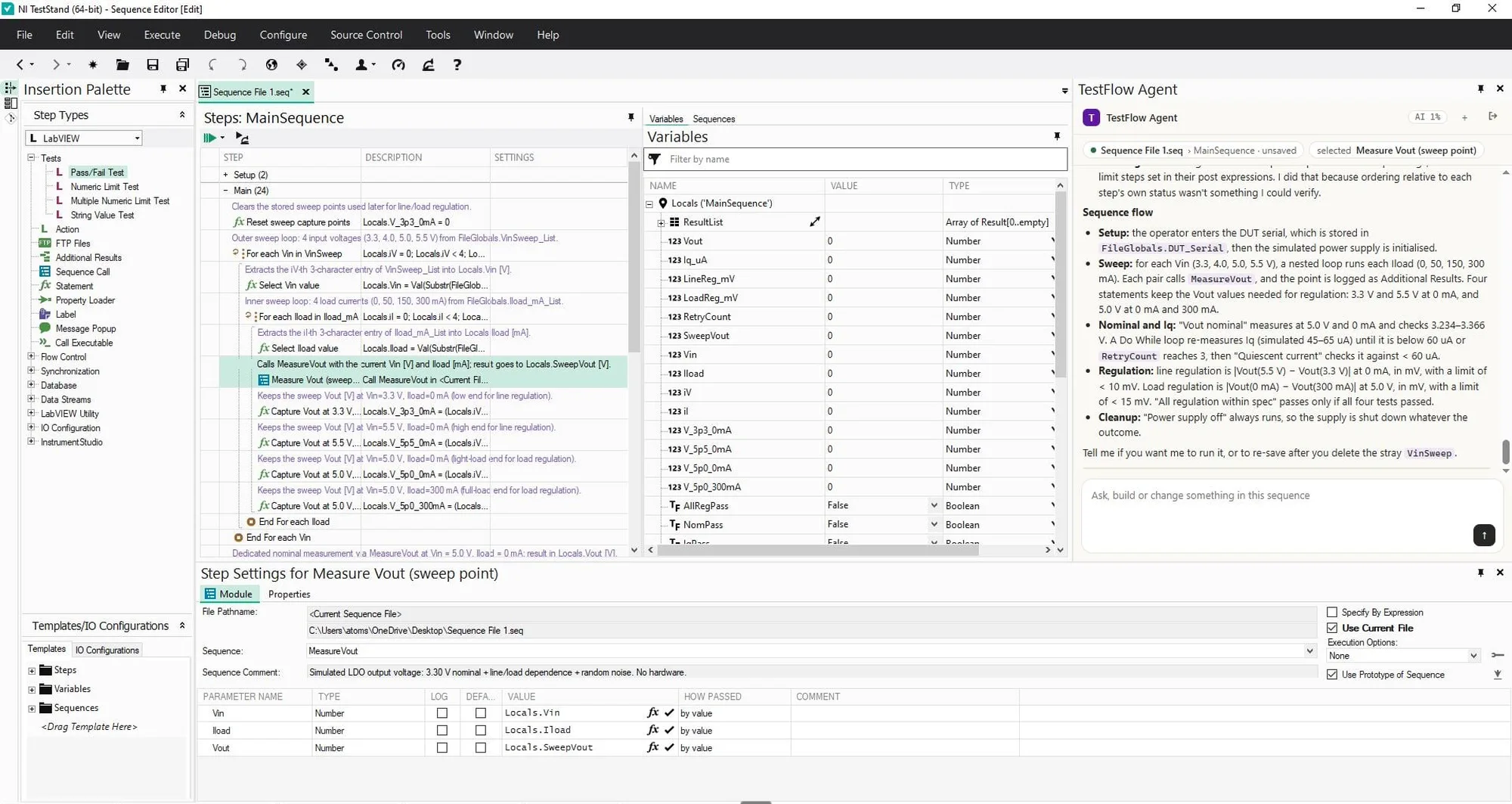
Open it from the Tools menu. It sits beside your steps like any other TestStand pane.
Reads the file you have open
Sequences, steps, variables, and types, so every answer is about your test.
Writes native TestStand steps
Statements, loops, sequence calls, and limit tests you open, edit, and run as usual.
Inside TestStand and LabVIEW
From one request
to a sequence you can run
The agent works on the sequence file in front of you, with the same steps, variables, and panes you already know.
Ask for a test, get a sequence
Describe what the test has to prove. The agent adds the loops, the subsequence calls, and the limit tests to MainSequence, each step commented so the next engineer knows why it is there.
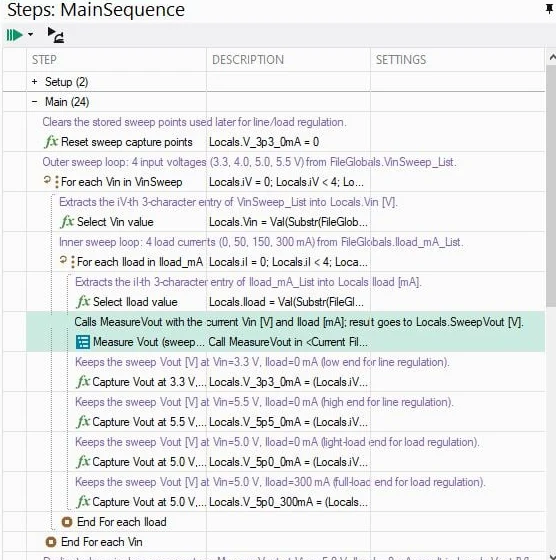
Every edit lands as it happens
Each change shows up in the Steps and Variables panes the moment the agent makes it, so you review the sequence while it is being written, not after.
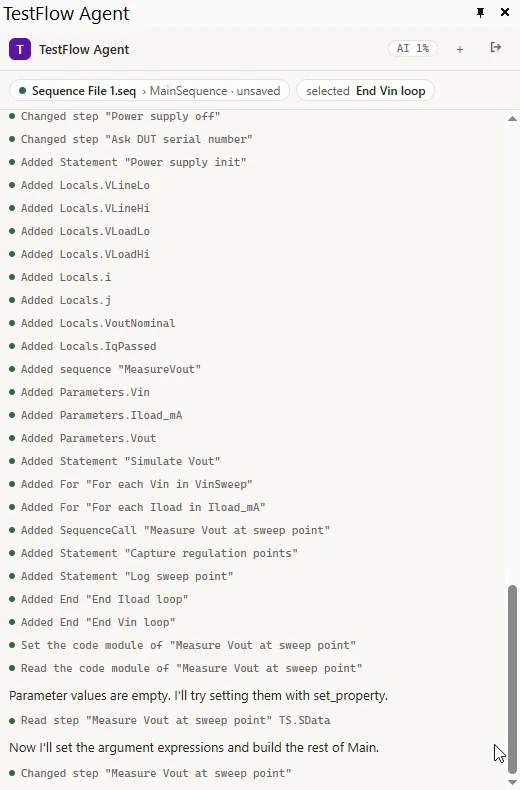
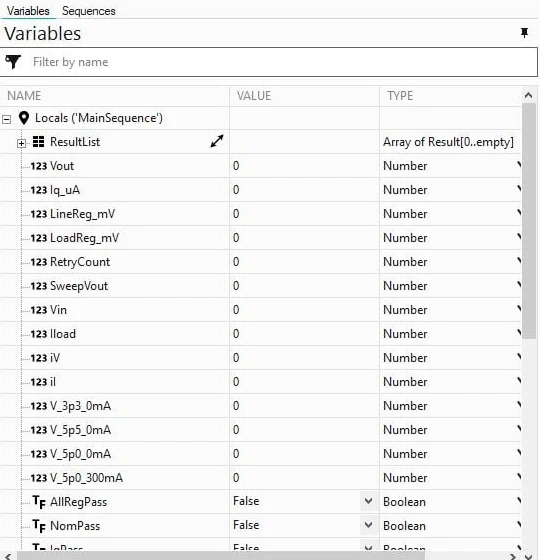
Locals and file globals, declared for you
Every value the steps use gets a name and a type, in the scope where it belongs. Nothing is left for you to wire up afterwards.
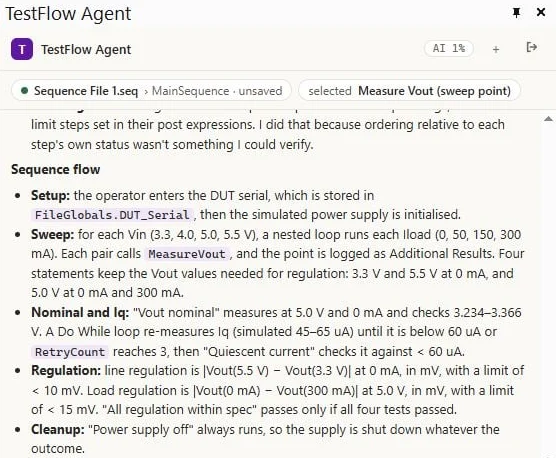
Ask about any step
Select a step and ask what it does. The agent walks you through the sequence flow, the limits, and the cleanup path in a few lines.
Use it inside TestStand and LabVIEW Today
Get started
In your Sequence Editor
in three steps
One installer, one sign-in, and the agent is a pane in TestStand.
Run the installer
It adds TestFlow to the Sequence Editor’s Tools menu, and takes it back out cleanly if you uninstall. TestFlow Desktop is not needed.
Open the pane and sign in
In the Sequence Editor choose Tools > TestFlow. The TestFlow Agent pane docks on the right. Sign in with your TestFlow account.
Ask for a test
Open or save a sequence file, then ask the agent to build, change, or explain it.
FAQ
Questions
NI, TestStand, and LabVIEW are trademarks of National Instruments Corporation. TestFlow is not affiliated with or endorsed by NI.
Your next test, automated today
Describe the test. TestFlow builds the workflow, runs it on your instruments, and writes the report. See it on a bench like yours.